![[[ Bluecross ]] ::V0E-407 Auditore](https://slm-assets.secondlife.com/assets/12761884/lightbox/AUDITOREpromo.jpg?1447419953)
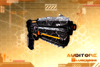

[[Bluecross]] :: V0E-407 Auditore :: Handgun
===============================
Thank you for your purchase!!
===============================
From the depths of space, Bluecross brings to you the new V0E-407 Auditore Handgun, inspired in a cyber-era; this is our cutting edge alien technology.
The V0E-407 Auditore is a biotechnological weapon, which combines organics and cybernetics into one sole final weapon. It’s a light and stable weapon with a high fire power combined with the short and medium distance precision of what only the organic engineering work can do.
Give your cyber Role Playing a new touch, elegant, different and dark; go prove you’re ready for action at any time.
This weapon is a fully sculpted work with baked textures, but also it has a color picker HUD that will help you to change certain glowing parts of the weapon in order to best fit your Sci-Fi outfit.
===============================
THE COLOR HUD
===============================
There is an Easy-to-Use color picker HUD inside the box. Just attach it and select the desired color or you can always use the RGB button and write the exact color in chat
i.e.: 255, 255, 255
All the pieces are Modifiable, even if they say 'No modify', that's because of some scripts inside, so, if you want to color manually, just right click your weapon, select "Edit linked parts" and click the part you want to color, then go to the "texture" tab and color it as you wish.
===============================
RESIZING YOUR WEAPON
===============================
As not every avatar has the same height or shape, maybe you’ll need to resize the weapon in order to fit it best to your shape, or just for esthetics, is up to you.
Just Right click your weapon or the holster, or any piece you want to resize, select "Edit" and resize them (Control + Shift and 4 gray squares should appear, drag them and move them up or down in order to resize them).
If you want to resize more specific parts from the weapon, mark the ‘Edit linked parts’ on the Edition menu, and select the prims you want to resize as you wish.
===============================
THE GUN
===============================
The weapon is scripted in order to shoot and be functional on Safe Zone Damage simulators.
It has low script quantity and very low lag, so you won’t have any problem.
The basic ammunition quantity is 6 bullets per magazine.
We’ve implemented some gestures configured for the basic commands of the script, such as “draw” “reload” and “holster”, and they’re modifiable if you want to change the hotkey to use them.
With the Handgun equipped, when you press C your avatar will change into crouch position, just press it again if you want to stand again.
When you have the Gun unholstered, you can always click it in order to pop-up a menu that will let you to select the bullet speed or the special effects.
In addition, there are other commands that may be useful in some cases, they work in local chat (Channel 0):
"d" or "draw" to draw the weapon.
"r" or "reload" to reload the weapon.
"vel.250" or " vel:250" to adjust the velocity of the weapon.
"sling" or "s" to holster the weapon.
"nofx" to disable special effects.
"fx" to re-enable effects.
"single" or "semi" to enable semi auto.
"a" or "auto" to enable Full Auto.
"db" or "damage" to Arm the Standard damage bullet.
"tb" or "training" to arm the training bullet.
"ldb" or "lagless db" to arm the lagless damage bullet.
"help" to obtain this notecard.
===============================
THANK YOU!
===============================

![[Bluecross] Renegade Visor](https://slm-assets.secondlife.com/assets/4069163/view_small/RENEGADEVISOR.jpg?1313198734)
![[[ Bluecross ]] :: Grace Skin #2 (Reds) ::](https://slm-assets.secondlife.com/assets/4566063/view_small/reds%20make%20up%202.jpg?1320876904)
![[ Bluecross ] :: Balaurian Skin :: Warlike Pride #3 ::](https://slm-assets.secondlife.com/assets/5142837/view_small/balaurian%203.jpg?1330085856)
![[ Bluecross ] :: The Ilusionist suit :: (Volatile)](https://slm-assets.secondlife.com/assets/5700979/view_small/the%20illusionist%20suit%20volatile.jpg?1339048533)