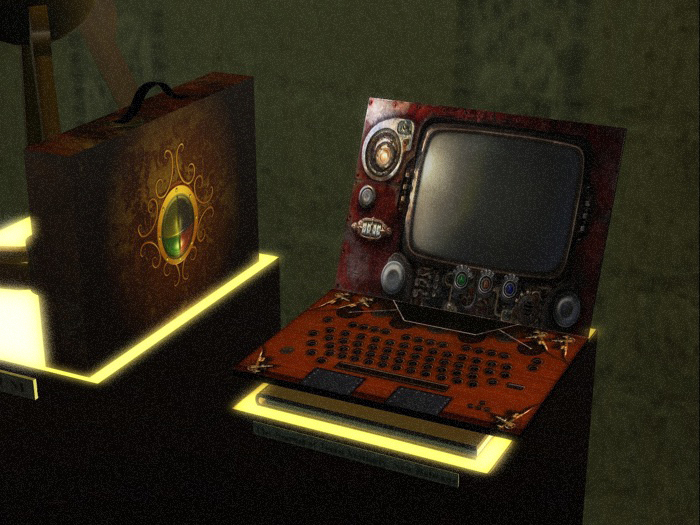
This object records the names of everyone who comes within " x " meters.
Touch Options :
open close laptop (just owner, on touch)
Two Separate Menus (on keyboard touch).
Owner Menu (Just Owner Visible)
Visitor Menu (Just Visitor Visible)
/////Owner Menu/////
BUTTONS :
Close Menu : close menu stopping listener
OnLine / OffLine : sets the online indicator hovertext on/off
IM : set the IM system on /off (just visible to visitor when they touch the laptop)
Mail : sets the mail address : type in chat the mail addres after u pressed this button
by example : "mail me@mail.com"
Reset : reset the whole System
ScanTime : sets the scan sensor timing : type in chat the scantime after u pressed this button
by example : "rate 10"
ScanRange : sets the scan sensor range : type in chat the ScanRange after u pressed this button
by example : "range 30"
Report : sets the Mail List Report Time : type in chat the Report after u pressed this button
by example : "tempo 24" , means you will receive at the specified hours frequency an mail with the list of all avatar/daily,weekly..as you like)
Help : shows u a reminder about main functions .
Drag inside the object as many notecards and landmark or Object you want to send to visitors .
the system will detect just oncetime (the same avatar) till the next report .
Test : send an e-mail to Your email (if set already).
Once You get the object ( laptop ) email , simply send from Your mail server , an email to the object (key_of_the_object@lsl.secondlife.com)
(simply answer to the mail) using as Subject the name of the avatar You want to IM , and as message the message .
IMPORTANT : The body of your message must be less than 1024 characters.
///// ADDITIONAL OPTIONS/////
Editing the laptop You will find the following Notecard inside : *config
open it :you will find those lines :
Send IM = send_im
Google = url:http://www.google.com/
//this are the buttons the visitor will see in the visitor menu
those are the configurable buttons visible to your visitors
Two are already configured
Send IM = send_im (do not change this)
Google = url:http://www.google.com/
Google (name of the button, you can change With another short name like : Twitters
= url: (leave as is, this means the function is to link the visitor to an external url)
http://what_you_want_here(here the url you want to display)
add as many buttons with external urls (maximum 11)
ifu are an experienced scripter You can play with *commands script inside too.
- Visitors mail Reports
- Fully settable Sensor range,timing,report frequency
- Mail to IM (e-mail anyone while offline)
- Nice design ;-)
