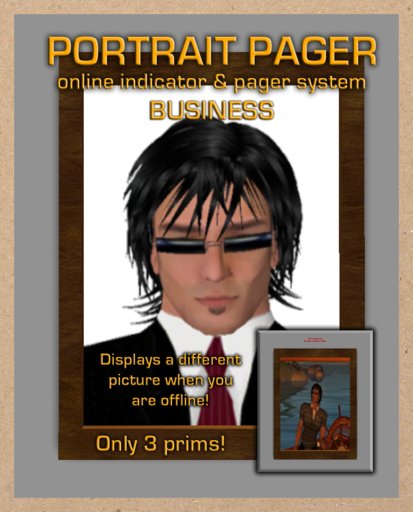

This product is extremely easy to use, and requires very little configuration. You will need two textures for your Business Portrait Pager, one named "online" and one named "offline". Delete the two textures which ship with the Portrait Pager, and add your own. When you are online, the "online" texture will be displayed brightly and the hovertext will appear green. When you are offline, the "offline" texture will be displayed and will not be as bright, and the hovertext will appear red.
Edit the Portrait Pager and change the description to alter the top line of hovertext, for example... you could use "Click the pic to page me". Clicking the Portrait Pager as the owner will open a dialog menu giving you three options:
Page : This will allow you to page your employee.
Reset : This will reset the pager. Use this once you have edited the description, or renamed the device, click it to reset the scripts and initialize the Portrait Pager with the new settings.
- Employee : This will delete employee data and revert the Business Portrait Pager to tracking its owner's online status.
+ Employee : When you are ready to add an employee to the Business Portrait Pager, choose this option. You will be prompted (in chat) to instruct your employee to click the portrait pager. Once they have done so, the pager will capture their data and reboot. When the pager comes back online, it will be tracking the online status of your employee.
You can take the pager into inventory and them in multiple locations. The pager will not lose the data unless you choose the "- Employee" option in the menu.
Once someone has clicked the Portrait Pager, you (or your employee if one is set up in the pager) will receive an instant message indicating who has requested your assistance and from where.
That's all there is to it, enjoy!
- Indicates whether you are online to your visitors
- Allows your visitors to page you with a single click!
- Set up multiple Portrait Pagers and assign your employees to them.


Does not actually send an IM it is just in local chat. Doesn't really help me if I am not at my computer at that moment or if I am in busy mode.