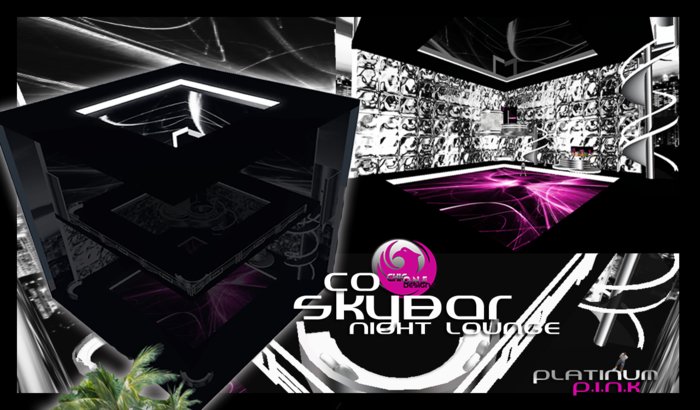
CO SkyBar NightLounge Features
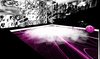
** Inside Skyline View
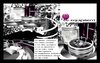
** Upstairs/Downstairs Lounge Floors w Spiral Stair Access
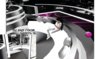
** Upstairs Stage
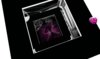
** SkyRoof
** CO DJ Workstation
Also includes the following:
** CO DJ Equipment
** CO Bar w Drink Menu & Bartender Animation
** 2 Dancefloor Machines - Add Your Own Animations & Touch to Dance
** 5 CO Club Sofas (10 Poses)
Total of 5 avatars may sit on each couch.
-- All club stage and furniture pose positions can be modified to suit your avatar. Instructions included in Box.
>>>> CO DJ Zone WorkStation
** Change SkyBar Dance Floor/DJ Zone Accent Wall (7 Options)
** DJ V.I.P Room (Seats 5 Avatars -10 Animations)
Invite colleagues, friends, groupies, dancers to sit with you in DJ Zone.
** DJ Zone Stage (3 Poses)
Wanna perform for the crowd or have assistant dancers entertain? Standard stand poses are provided to allow you to position yourself properly on the stage.
** DJ Workstation (3 DJ Animations provided)
Click DJ WorkStation to access and cycle thru DJ poses
>>>> CO DJ Equipment
** DJ Chill Chair w/Color Change (4 Poses)
Click chair to sit. Once seated click chair to cycle thru animations.
** CO DJ Monitors
Click monitor to turn On/Off
** CO Disc Mixxer
Click center disc to turn On/Off
** CO Mixxer Console (2)
Change Mixxer Accent Color (66 Colors)
Add DJ Signature Logo to CO Mixxer Console
** CO Radio Receiver (2)
Can be deeded to group. Changes parcel radio streams and urls can be updated by owner only. See 'CO Receiver' notecard for instructions.
** CO Microphone (1 Pose)
>>>> CO DanceFloor Machine (2)
Click dance floor and allow permission to animate. Select dance from menu. Size is 25m by 25m and will fit each dancefloor
-- DO NOT MODIFY SIZE OF DANCEFLOOR MACHINE OR IT WILL SHRINK TO STANDARD 10M SIZE
** Add Dances (Owner)
Add your own dance animations and touch floor to dance. (11 standard dance animations provided to get you started. Can remove unwanted dances.)
** Hide/Display CO Dancefloor Machine (Owner Only)
Hide dancefloor machine so it will become invisible after being placed on top of dancefloor. Display to locate when needing to add dances or take back into inventory. Operated via local chat command.
>>>> CO SkyBar NightLounge Effects
** DJ V.I.P Room Wall Effect (Owner)
Turn On/Off animated wall outside of DJ V.I.P room via local chat command.
** Fog on Dancefloor
Turn on/off dancefloor fog via local chat command. Two (2) units installed with approx 15m covered for each unit.
Size: 40m by 40m
CO Skybar Lounge w/Fog & DJ Zone 66 prim (Copy)
144 Total prim w/Optional DJ & Club Equipment
** Optional Lounge Equipment
Club furniture and CO Bar is in folder so you have option to set club up as you please.
1 CO Bar w/Drink Menu 14 prim
5 CO Platinum Lounge Sofas 7 prim each
2 CO Dancefloor Machines 1 prim each (Modify/Transfer)
2 CO Receiver 6 prim (Modify/Transfer)
Mixxer Console Panel w/Logo & Color Accent Change 3 prim (Modify/Copy)
CO Microphone 6 prim (Copy)
DJ Monitors 2prim each (Copy)
CD Mixxers 2 prim each (Copy)
DJ Chill Chair 4prim (Modify/Copy)
Please be sure and save CO Receiver, Mixxer Console from grouped DJ Equipment object and CO Bar, CO Platinum Lounge Sofas and CO Dancefloor Machines as they are not copy.


