
CS Abraham
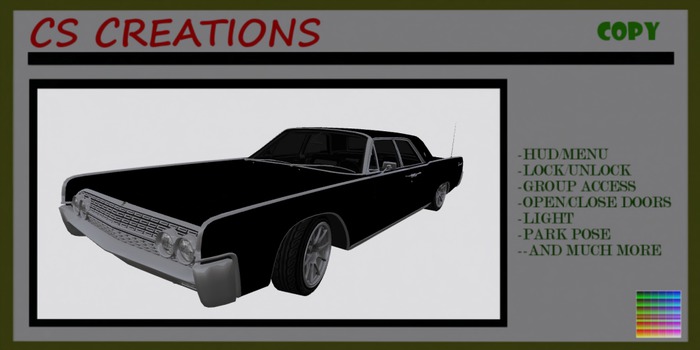
KCP Menu/HUD System
ACS 7.02
**Color-Shine Change
-Menu/Options/Graphics /Color-Shine.
8 color/shine groups to change colors-see in menu .
Custom Color/Shine:
From the user menu:
Options/Graphics/Color - Shine/Color 1-8/Custom
**Feel Free To Set Up The Control Settings Like Gears-Steering-Brake-....For Your Best Drive Settings. Select from the menu:Options-Controls.
Special: Open Doors/Hood/Trunk==Open/Close Windows(closed doors)==Head Lights==Brake Lights==Indicators back==Color/Shine change==Plate texture change==show/hide antenna
**Menu Editable Controls - Menu editable controls include steering, gravity, banking, gear sets, volume and more.Edit gears more/lower -faster/slower .....
**ParkPose:2 poses-Select Park +- from the menu by driving the car.
**Group Access - Turn on group access so anyone in the same group as the vehicle can operate it
***Fixtures : Invisible parts show/hide - Menu>Options>Fixtures - show/hide antenna
-Lock/Unlock - unlock the car so anyone can drive it.
-Group Access
-Exhaust Smoke Creates exhaust particles while the engine is running
-Headlight
-Brakelight
-Indicator back
-Camera System
-Flight Mode
-Driver HUD
-Park Routine
-Mouselook steering system
-Alarm System
-Burnout
-Resizer
-Open/Close Window
-Change Plate Texture
-Color/Shine change system.
- Antenna Engine on/off.
**Change Plate with own UUID Texture >your texture must be copy mod.
Right click on the texture from inventory and select -Copy Asset UUID-.
Leftclick the car to see the menu.
Select >Options>Graphics>KCPaint>
** Window- leftclick window to open/close.
** Leftclick doors/hood/trunk to open/close
**Menu driven Avatar positioning :Menu/Position/Driving or ParkPose
**Passenger - Menu adjustable sit pose for the passenger (Leftclick Seats to sit/edit)
**NOS Boost.
**Menu driven Avatar positioning - no typing required :Menu/Position/Driving or ParkPose.
**Driving:
Use the arrow keys to accelerate, brake, and steer.
For sharp turns at speed, skid out by holding the back arrow while turning.
Leftclick for open-close hood/doors/trunk/roof/door windows.
**SHIFTING:
Choose between two shifting styles by choosing Shift Style from the Menu> Options, > Advanced menu>Shift.
Standard: To shift gears, hold the SHIFT key and tap the left or right arrow key.
Old School: Shift with E/C or PageUp/PageDown keys
To drive in reverse you will need to select reverse gear, unless Arcade Reverse is activated from the menu.
When mouselook is activated: Left mouse button is for acceleration and left/right arrow keys shift gears.
- KCP HUD/Menu driven
- LI 48 Prims
- Passenger/Group Access/Lock Unlock/...
- Light/BrakeLight/Indicator/
- Open Doors/Hood/Trunk


