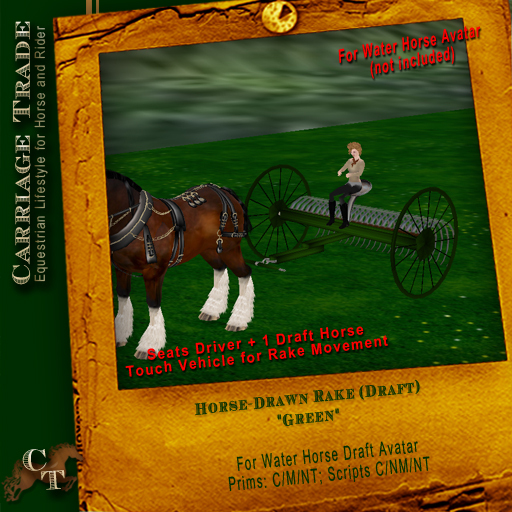

This is a period accurate Farm Rake for the Water horse Avatar. It seats one horse and one driver. Touch the Rake for it to go up and down and rake your hay!
IMPORTANT NOTE
This vehicle is not supplied with a horse.
===== 1. Getting Started =====
1. Drop your vehicle on the ground
2. The person who is going to drive should choose a poseball and sit down first. The driver can be the horse or a passenger; whoever sits first
3. Have anybody else who wants to ride sit on their favorite poseball
4. Driver can start moving. Controls are described in the next section
If the driver wishes to let somebody else drive, she can chat /1driver <name> to let <name> drive, where <name> is the first few character's of one of the rider's names.
===== 2. Controls =====
The vehicle can be controlled much like an avatar:
- Up arrow, or W key: move forward
- Down arrow, or S key: move backward
- Left arrow, or A key: turn left
- Right arrow, or D key: turn right
- Page up key, or E key: jump
- Shift+Up arrow, or Shift+A: move left
- Shift+Down arrow, or Shift+D: move right
Additionally, you can speed up or slow down the vehicle:
To speed up (method 1):
1. Run normally, by pressing the up arrow (or any other movement key)
2. Release the up arrow for a brief fraction of a second
3. Press the up arrow again and continue running
This works similar to double-tapping to run.
To speed up (method 2):
1. Run normally, by pressing the up arrow (or any other movement key)
2. While continuing to press the up arrow, press the page down key
3. Release the page down key and continue running
To slow down:
1. Run normally, by pressing the up arrow (or any other movement key)
2. While continuing to press the up arrow, press the down arrow
3. Release the down arrow and continue running
When you successfully change speeds, the poseball should flash the new vehicle speed in hovertext for two seconds (although if your camera is too far back you won't see it). The animated avatar may also change gaits if the AO has different speeds for different walks set up.
Note: There is no limit to how fast you can make the vehicle go by using the above; have fun :)
===== 3. Troubleshooting =====
---- 3.1: I'm sitting on the horse poseball, but I'm not being animated as the vehicle moves ----
You must be using a Water Horse AO; other AO scripts will not work:
1. Make sure you are wearing a Water Horse avatar and AO
2. If it offers you an update, accept the update and use the AO distributed with the update
--- 3.2: I'm having trouble speeding up by double-tapping the up arrow ---
The speed up gesture (double-tap up arrow) is sometimes finicky in a lagged sim. If it is not working, try the following:
Use the other speed up keystroke (page-down while moving)
Do the gesture a bit slower. Release forward but wait a longer fraction of a second before pressing forward again
If that doesn't work, try detatching your AO (unless you are the horse, then that would stop animating you). This helps the script respond faster when you press or release a key
If none of that helps, just wait a day or so for the lag to go away or go to a less lagged sim.
***************Using this Vehicle with a wearable horse (not Included)***********************
You will need a WEARABLE and COPIABLE horse purchased from one of the equestrian merchants in SL. You will be modifying the position of a copy of your horse so that you can use that copy with the carriage each time.
1. Drop your vehicle on the ground
2. Remove the horse poseballs at the front of the vehicle by selecting edit then edit linked parts. Unlink the horse pose balls, and delete them.
3. Select your horse in inventory and 'Wear' it.
4. Sit on the driver's seat. Adjust the horse so it looks correct for the vehicle.
5. Have anybody else who wants to ride sit on their favorite poseball
4. Drive and manage the vechile as above.
INITIAL HORSE SETUP
If you are using your horse with the carriage for the first time, you will need to change its position so that it is placed between the bars of the carriage. To do this:
1) Rotate the carriage so that it is oriented North-South or East-West. This make adjustment easier.
2) Make a copy of your horse if you have not already done so. This will become the carriage version of your horse.
3) Select your horse in inventory and 'Wear' it.
4) Sit on the vehicle while wearing the horse. You will appear to be sitting both on the horse and on the carriage seat at this stage.
5) Select your horse in Edit and move it from under you, positioning it between the carriage bars, and at the correct height. You carriage should now be useable.
Note: When you have finished driving the carriage, Detach the horse back to inventory. This modified version of your horse will keep its carriage position for next time you 'Wear' it.
- For the Water Horse DRAFT mod
- Scripts no mod/copy/no transfer


