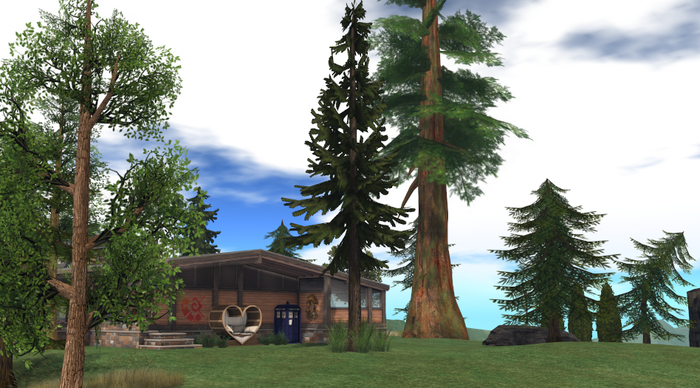
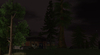
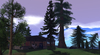
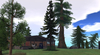
This is the windlight setup I have been using since 2018, converted to the new EEP Shared Environment system.
As of this writing this system ONLY works in the official Linden Lab Viewer and Niran's Dragon Viewer. It does NOT yet work in Firestorm
This is a direct conversion without modification so it's not as fancy as EEP can offer - it's just a 'starter' to get people help in playing with the system.
You can modify this, redistribute it, and so on, as desired.
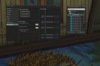
See the screenshots for two screenshots on how to apply this:
1. One for applying to your land parcel
2. One for how to apply it to yourself.
It includes:
Cattitude 2018 : A day setting
And specific time of day settings for:
Cattitude 2018 - 12pm
Cattitude 2018 - 6pm
Cattitude 2018 - 3am
Cattitude 2018 - 9pm
Cattitude 2018 - 7pm
Cattitude 2018 - 9am
Cattitude 2018 - 12am
Cattitude 2018 - 3pm
Cattitude 2018 - 6am
Cattitude 2018 - 5am
All of these are designed to be very similar to the default Second Life lighting, with a little bit of refinement to improve the visual experience and make for nicer screenshots.
So they will feel familiar, yet a little different.
The reason they were kept close to the default lighting was so that colors would not shift. I originally made this light preset when I starting noticing that, when using a highly stylized for snapshots windlight; my avatar's African skin tones was dramatically different from that other people were seeing and from the product images of skin makers.
So I set out to make a light setting that let me have the screenshot moods I desired, but kept the colors true to what most others and in particular merchants making skins and clothing I desired would likely see.
NOTE: As with many of my freebies, I've tossed in a few fullperm textures that are not related to EEP, but which I find generally useful.
- EEP
- Shared Environment


