
CaveTech – PhotoScreen HUD
08/2025
Want to capture the perfect shot in Second Life without losing your camera angle?
The CaveTech – PhotoScreen HUD is designed for photographers and machinima creators who need precise control over their camera. Save unlimited camera positions with custom names and recall them instantly — no more struggling to find the perfect view again. With an intuitive interface and on-screen displays, this HUD makes professional photography in SL faster, smoother, and more creative.
What you can do:
• Save hundreds of camera positions with personalized names (up to 16 characters)
• Instantly apply a saved position with a single click
• Navigate between positions using Previous/Next buttons
• Stop and restore the default avatar camera anytime
• Delete positions directly with a dedicated button or via the menu
• See the name of the currently selected position on-screen displays (2×8 characters)
• Organize your positions with a clean paginated menu for quick access
Perfect for:
✔️ Photographers and bloggers
✔️ Machinima and video creators
✔️ Event hosts who need fixed camera shots
✔️ Anyone who wants professional control over their SL camera
Included in the folder:
✅ CaveTech – PhotoScreen HUD (ready to use)
✅ Quick READ ME manual with setup instructions
Important reminder: This HUD does not include any animations or external content. It is a professional camera control tool only.
Professional tools made simple.
Only from CaveTech – Digital Technology for Second Life.
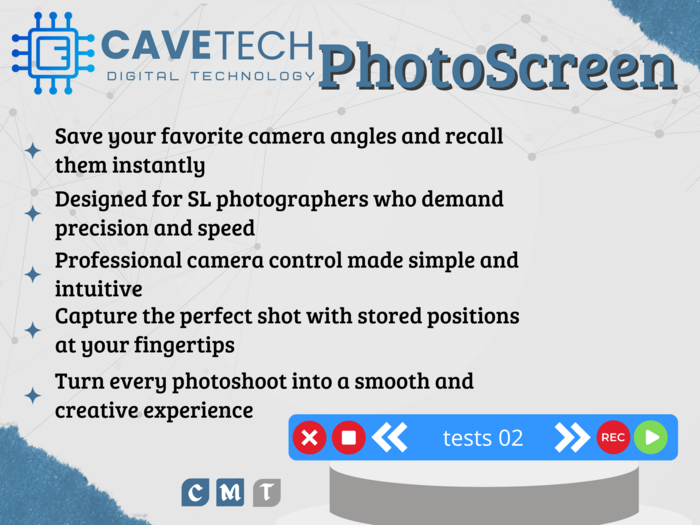
- Save your favorite camera angles and recall them instantly!
- Designed for SL photographers who demand precision and speed.
- Professional camera control made simple and intuitive.
- Capture the perfect shot with stored positions at your fingertips.
- Turn every photoshoot into a smooth and creative experience.
