
CaveTech – SoftBox
09/2025
Looking for clean, studio-grade lighting in Second Life with zero fuss?
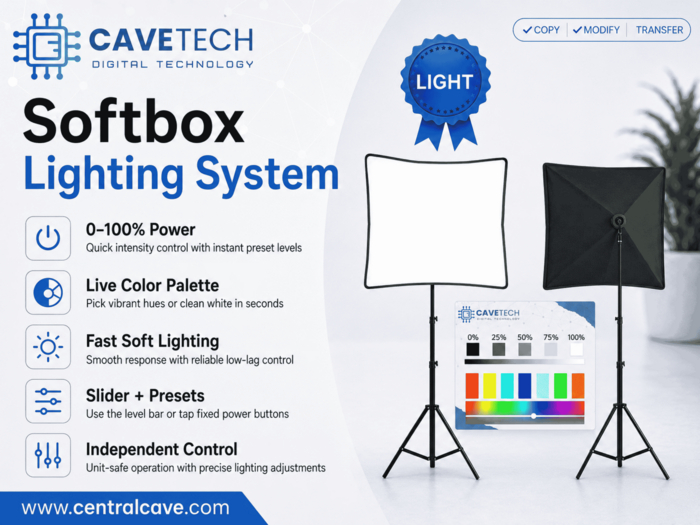
CaveTech – SoftBox gives you instant control over light strength and color in one compact tool. Slide smoothly from 0–100%, jump to quick levels with a tap, pick ready-made colors, or use the built-in palette for custom hues. Each unit controls only itself, so multiple SoftBoxes never clash—just aim, click, and shoot.
What you can do
• Set light strength from 0–100% with a smooth slider
• Jump to quick levels (0%, 25%, 50%, 75%, 100%) for speed
• Apply one-tap color presets (red, yellow, cyan, blue, white, green, orange)
• Choose any color using the live palette (click to apply)
• Use multiple SoftBoxes side by side with no interference
• See instant visual feedback while you fine-tune your scene
Perfect for
✔️ Photographers, bloggers, and creators
✔️ Portraits, product shots, and venue lighting
✔️ Fast setups that still look professional
Included in the folder
✅ CaveTech – SoftBox — ready to use (No Transfer)
✅ READ ME quick guide — step-by-step (No Modify)
✅ CaveTech – Digital Technology — landmark
Notes
• Place and aim the light where you want emphasis; adjust color first, then power for the best results.
• Visual outcome can vary with viewer graphics and environment settings.
• Designed to be responsive and low-lag, even with multiple units.
Professional tools made simple.
Only from CaveTech – Digital Technology for Second Life.
- Shape your scene in seconds: 0–100% power, instant presets, and a live palette
- Real control: quick levels, precise slider, and unit-isolated operation-no confl
- Effortless soft light: pick a color, set power, make your subject pop
- Built for fast creators: compact, instant response, low lag, reliable
- More looks, fewer clicks: from clean white to vibrant hues-dial in and shoot
