You can see the ring in action at our in-world demo:
http://maps.secondlife.com/secondlife/Lamprey/58/26/233
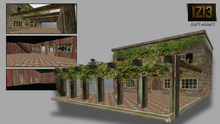
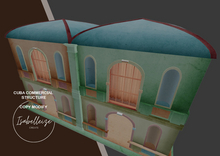
Apartment Rez Instructions – 1 Room Module Land Impact: 121 Permissions: Copy / Modify Suggested Placement Coordinates: <0.0955429, 0.0653896, 3.20807>
Setup Steps:
Rez the Object
Drag the apartment module from your inventory onto the ground in your desired region.
Confirm that the parcel allows object rezzing and has sufficient prim capacity.
Positioning
Use the coordinates above for precise placement if needed.
Rotate and align the structure so the mural and balcony face your intended direction.
Customization
You may modify textures, add furniture, or link additional modules.
The structure supports modular expansion—balconies, staircases, rooftop add-ons.
Access Control (Optional)
If using a door or access script, configure group or user permissions.
Add signage or floating text if needed for rentals or role-play.
Final Check
Walk through the space to confirm collision, visibility, and alignment.
Save a backup copy before linking or scripting changes.
See item in Second Life- Urban
- Cuba
- Havana
- Building
- Sim