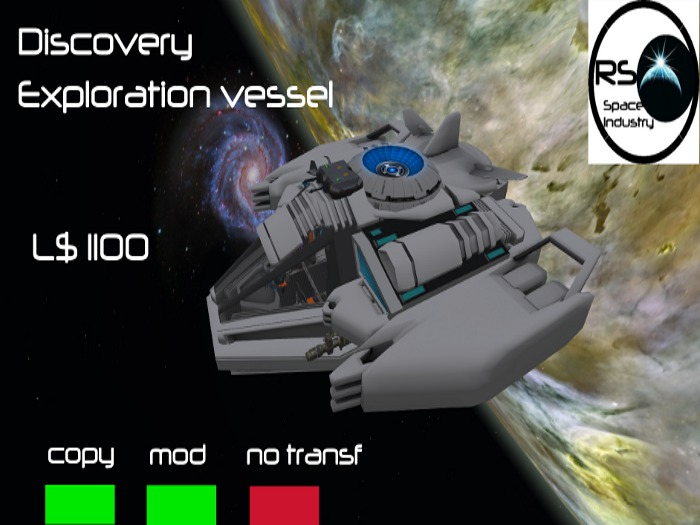

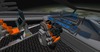
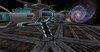
The DISCOVERY is a exploration space vessel
Ideal for rpg in second life.
let's see what's in the DISCOVERY.
- 237 prims
-non-physical flight (this is because of the big n. of prims)
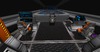
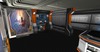
-Control bridge with holographic table.
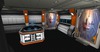
-Medical department.
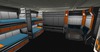
-Crew cabin. cockpit with 3 seats.
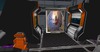
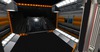
- Airlock area wiht scene rezzer to rez one external airlock to dock at a space stations
Weapons:
-2 laser cannons
-1 missile launchers with guided missiles directly to enemy avatars.
-1 automatic defense turret
It employed the PCS combat system and it works with the CCC and DCS system too.
About the turret: Inside the ship there are 2 control turret point one the pilot cockpit and one in the copilot cockpit
marked with the floating text: "point defense control".
Inside the console with the floating text, "PD ignore server", there is an editable note cards to set your do not fire list. If you change the note card's contents, it will update the turrets in the linkset with the new ignore list.
ABOUT THE TURRET MENU:
Menu Functions
----------------------------
PD On = turns the guns to auto mode
PD Off = turns the guns off
Target Menu = Brings up a list of avatars in a 96 meter range that you can set the guns to fire upon
PD Range = sets the Max Distance that the PD will fire at. By default, the range is set to 60 meters
The DYSCOVERY is equipped with a dock assist; a visual reference device for easy docking to a space station.
By activating the dock assist, a red light cylinder will appear where you will then rez the airlock of the DISCOVERY
The red cylinder will give you the exact distance from the airlock of the DYSCOVERY to the airlock of the space station.
In this way, you can better align the DISCOVERY to the space station's airlock and rez the airlock of the DISCOVERY at the correct distance.
INSTRUCTIONS
Start engine: digit in public chat: "start" - stop engine digit "stop"
Fly up: click "page up" - fly down click "page down"
Directions: use forward/ back/right/ left arrows.
Combat system activation: digit in public chat "PCS on" - "PCS off" to deactivate.
weapons fire: enter mouselook view and click left.
Missiles activation
digit :/1 arm in public chat , enter in mouse look end click left.
ABOUT THE HUD:
With the HUD, you can control:
- Landing gear
- Dock assist
- Landing pad.
The HUD must be worn and placed where you want on the SL interface.
Attention!! for the flight system does not give errors, the airlock doors must be closed in flight phase, the ramp should be withdrawn and no rez scene. Is possible rez any scene with engine off.
Attention!! Read carefully the Discovery info note inside the box Discovery before using the ship.
But that's not all!!.
You have to land in a deserted area or at a spaceport and there are no free landing pad? do not worry
Now you can Rez your personal landing pad.
Using the hud you can Rez the landing pad 20 meters below your ship.
Use the altimeter to rez the landing pad at the right distance.
Any questions, please contact Renegade Elton.
Have a nice game!!!
