Dream Snatcher's Presents~
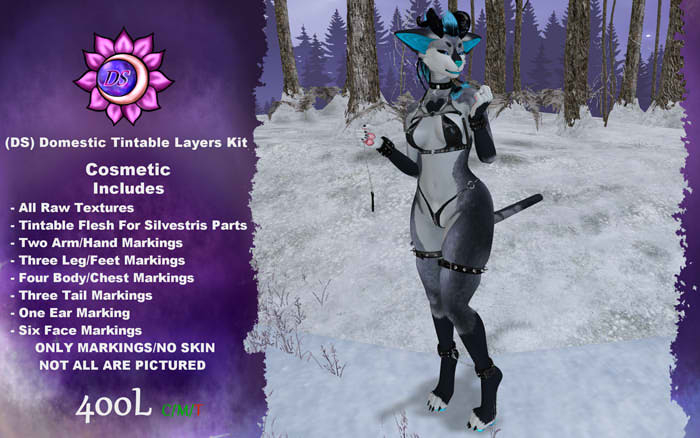
(DS) Domestic Tintable Layers
Supports:
- SLUV/LLUV Bodies/Skins
- Marz Silvestris Head/Ears/Tail/Mouth/Teeth/Tongue
- AP/ANIMA/Pawbz Feets
Tested Support:
- Monday Morning Pawbz
- ANIMA Kicks
- AP Feety Peets
- Legacy F
- Ebody Reborn
- Marz Silvestris Head/Ears/Tail
Includes:
- Raw Textures for remaking layers in alternative formats for 3rd party support
- Full Belly/Thigh Marking
- Half Belly/Thigh Marking
- Groin Blaze Marking
- Nose Blaze Marking
- Cheeks Marking
- Upper Muzzle Marking
- Chin Marking
- Heart Chest Marking
- Siamese Face Marking
- Seal Point Ears/Tail Markings
- Stripe Fade Tail Marking
- Tail Tip Marking
- Glove Markings for arms
- Finger/Palm Marking for hands
- Stocking Markings for Legs
- Sockies Markings for Legs (ankle cut)
- Toes/Bottom Feet Markings
- Shadow layers for all Flesh (put on after markings)
- Tintable Flesh layers for Eyes/Nose/Lips/Gums/Tongue/Ears (put on TOP of Shadow Layers)
When Modding:
- Add/Wear Your Base Skin of choice (Must be BOM)
- Add all Markings you wanna use (edit and tint them as you wish)
- Add Shadow Layers for Ears/Lips/Nose/Eyes as needed if Markings cover these areas
- Finally Add all Flesh Layers as you see fit and tint them to your desired colors!
- Go be pretty and enjoy~ (maybe leave a review I love to read your feedback! <3)
Q: Why is my nose/lips/ears all blotchy and messed up?
A: Because you are using a Marking Layer that covers this area. Make sure to Add the Shadow Layers for the areas effected and after that add the Flesh layers and tint to match how you want! These are included to fix this.
Q: Where is my Skin?
A: This is a Tintable Marking Addon kit. You will have to either buy a base kit from my store or any other BOM Skin from anywhere else will do!
Q: Will there be more markings in the future?
A: Maybe!! However they will likely be sold as new Addons to buy~ They take alot of time and energy to setup right!
Q: I cant quite figure this out can you help me?
A: Yeah! Jump in world and click the Discord button in the Main Store and join the group get your Secondlife tag and drop into the SecondLife Helpline and someone will help you when we can~
Veja o item no Second Life- All Raw Textures
- 31 Tintable Layers


