
https://s3.amazonaws.com/products.shop.secondlife.com/agni/modules/Marketplace/Images/e/e/d/eeda6d95e3e8a876776f5580734a3e40.jpg
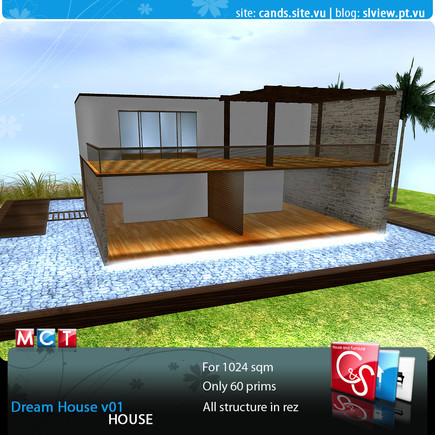
Dream House by C&S
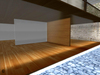
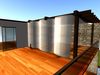
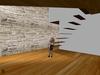
The C&S have the pleasure to present you Dream House Dining room, this was product created thinking about the necessities of our customer, always combining innovative architecture, quality, utility, realism, economy of prims and offering always with the best prices.
As you know the C&S have the concern to integrate in products the best scripts to give utility to the products, so this way our customers benefit the esthetical of product and use them with is function. In another side we are always looking for making products that interact between itself, that way it easier the control of the same products, by the customer.
Next we will go to explain the characteristics of each object that is in the pack of the product, that way you can know a little better about functionalities and characteristics of that object.
If you have any doubts about the performance of these products (scripts) you can consult our site where we explain you how to use each script that the C&S use in our products www.cands.site.vu > Help and FAQs
============
THE HOUSE:
============
Dream House – total of prims 60 - Modify | Copy | No Transferable
1. The Dream House it's for a land of 1024sqm x 1024sqm.
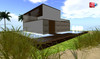
2. The Dream House was made by C&S, with modern lines please have attention to some things before:
A) When you put the box then chose REZ, then the house will appear please put the house in the right place BEFORE you chose SAVE. When the house was in the right place then you can chose the SAVE option for the doors keep in place.
B) Click on the water for the rest appear, chose all to put all things or select only what you want to appear (Lights, Curtains or Plants). The curtains appear when you do a click on the house, you can make your bedroom more private, do a click on the curtains they turn down.
C) Please set the permission of your house. Just do a click on the house and a MENU will appear select ADMIN then ADD chose the persons you want then DONE.
D) If you delete the House, something’s have to be clean in the land manually, like the doors, the curtains and the water, because they are in a rez.
E) In the bedroom you make the environment more intimist just do a click on the wall behied the bed and the curtains will come out.
Comments: As internal politics the C&S opts to not showing its products to protect its rights of creation, so any inconvenience that can happen by this politics contact Caty Matova or ScorpionSoul Paine so that the circumstances can be analyzed. The C&S have the pleasure to help you solve any question, doubts, performance and anything related with the packs.
* This product this also available in all pack, all pack (copy), solo versions and with the dream house.
* For more information it can visit our site www.cands.site.vu or blog www.slview.pt.vu
* It will be able to also visit our Main Store in world in:
http://slurl.com/secondlife/Nautilus%20-%20Gisco/229/177/26
* Also you will be able to contact Caty Matova or ScorpionSoul Paine in Word or to send an email to catyscorp@gmail.com we will have all the pleasure in helping in any type of question.
** No refunds in this product.
https://s3.amazonaws.com/products.shop.secondlife.com/agni/modules/Marketplace/Images/9/7/8/97862a1d5dd0a7fe28991d5a0b20e055.jpg
https://s3.amazonaws.com/products.shop.secondlife.com/agni/modules/Marketplace/Images/7/a/d/7ad1242286ac623172ee71569788570c.jpg
https://s3.amazonaws.com/products.shop.secondlife.com/agni/modules/Marketplace/Images/7/c/c/7ccddde3c10c8159cc72004875a596e5.jpg
This Product have 36% of discount in the inWorld store
Find all the products of C&S House and Furniture in Xstreetsl
Follow C&S House and Furniture in the social networks
- House
- Home
