

Ⓔ ENGLISH
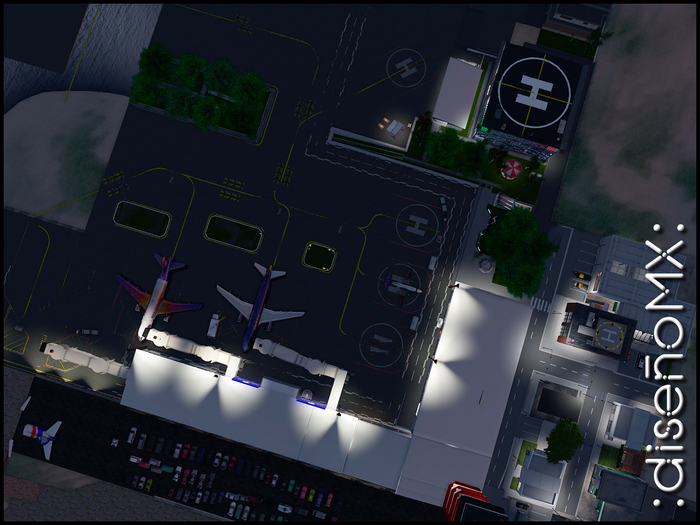
This is a Dollarbie from :diseñoMX: I hope you like it.
Instructions for Use:
• Rezz the drone to the floor
• Accept the dialog window and grant permissions, this will allow the dron to act with your input controls
• Accept the following dialog box and touch the dron to activate the remote control
• Accept the following dialog box informing that the remote control has been activate and to disable it you must touch the dron again
• In drone mode your avatar has grant its movement controls to the object, so you must touch the drone to recover them
• Use PgUp / RePag to fly up or PgDn / AvPag to fly down
• Use the arrow keys or WASD to guide you: ▲ forward, ▼ backward, ▶ left, ◀ right
• To use the drone view click on the object and sit on it, this will change your view to negative value
• In drone mode take care not to hit the seagulls :D
• To exit drone mode and recover your view, click on the camera controls viewer and turn it to view the drone and touch it.
(Prim item - 18 Li prims)
ABOUT :diseñoMX:
===============
The item was created by the same user who owns Dimitri Mint and all his alters.
This product was made with love and pride in Mexico.
Ⓢ ESPAÑOL
Este es un regalo de :diseñoMX: espero te agrade.
Instrucciones de Uso:
• Rezzea el dron al piso
• Acepta la ventana de diálogo y concede permisos, eso permitirá al dron actuar con tus controles de entrada
• Acepta la siguiente ventana de diálogo y toca el dron para activar el control remoto
• Acepta la siguiente ventana de diálogo informandote que el control remoto se ha activado y que para desactivarlo debes tocar nuevamente al dron
• En modo de dron tu avatar ha cedido sus controles de movimiento al objeto, por lo que debes tocar al dron para recuperarlos
• Usa PgUp / RePag para volar hacia arriba o PgDn / AvPag para volar hacia abajo
• Usa las flechas de dirección o WASD para dirigirte: ▲ adelante, ▼ atrás, ▶ izquierda, ◀ derecha
• Para usar la vista de dron da click en el objeto y sientate en él, esto cambiara tu vista a valor negativo
• En modo de dron cuida de no chocar con las gaviotas :D
• Para salir de modo dron y recuperar tu vista, da click en los controles de cámara del visor y gira hasta ver el dron y poder tocarlo.
(Objeto Prim - 18 prims de impacto)
ACERCA DE :diseñoMX:
===================
El artículo fue creado por el mismo usuario propietario de Dimitri Mint y todos sus alters.
Este producto fue hecho con cariño y orgullo en México.
- Dollarbie
- Made with prim objects
- Just rezz it


