![.:[ELPI] Potting table w, baskets 9 LI..](https://slm-assets.secondlife.com/assets/13826369/lightbox/My_potting_table_-_main_MP.jpg?1460311233)
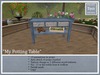
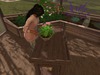
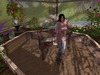
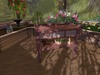

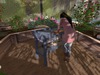
"My Potting Table" is a cute little practical table that can be used almost anywhere! In a greenhouse, on a porch or just on the lawn.
13 high quality animations with detailed props.
The teddy bear and toolbox w. flowers are included.
Part of the set "My greenhouse set" which is discounted compared to buying the green house and potting table separate.
Auto attached enabled:
If you have the AVSitter experience enabled on your land, the props will attach to you automatically and without asking permission.
If you don't have it enabled, you will get a pop-up asking for permission for the prop to attach to you. Either way there will be no clutter in your inventory.
Auto attach means you wont have to accept every time you need a prop for your animation. The prop will attach without asking permission. If you don't have it enabled, you will get a pop-up asking for permission for the prop to attach to you. Either way there will be no clutter in your inventory.
It is a simple few steps and will safe you tons of clicks from here on. Here is how to:
First:
Go to Avatar or Me in your tool bar. Choose Experiences and a small window will open.
Click the first tap 'Search' and type in AvSitter, hit Go and then OK. You should now find a line on the Allowed tap called AvSitter.
This will ensure auto attach will work for you where ever it is enabled outside of your own land.
Then:
Place your cursor on the top bar of your viewer (here the name of your land is written with the co-ordinances). Click and a window called 'About Land' will open.
Last tab is named Experiences click that and hit Add
Type Avsitter in the line, hit go and then OK
Sit on an item, choose an animation you know that will
give you a prop.
A window will open asking for permission to attach,
hit yes ..... You will only have to do this once (again though if you move to a new place).
After doing this this, if your furniture etc are using an updated version of AV sitter all props will auto attach.
PLEASE NOTE:
You need manager rights to do this, so if you cant ask your
estate manager to do it for you. This only works if an updated
version of AV sitter is used in your item!
As always, should you have any questions, requests or issues, please contact me by note card.
Even if you see me on line I might not be at the keyboard and my pc can crash so, better safe than sorry, by note card.
Best regards
Elpida
Elpidatisagapi
Ver el artículo en Second Life
![.:[ELPI] "My Green House" - 28LI incl. candle](https://slm-assets.secondlife.com/assets/13826249/view_small/My_Green_House_-_main_MP.jpg?1460310060)
![.:[ELPI] "My Green House" - Set..](https://slm-assets.secondlife.com/assets/13826645/view_small/My_Green_House___Potting_table_Set_-_Main_MP.jpg?1460313584)