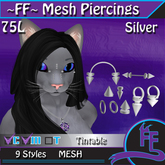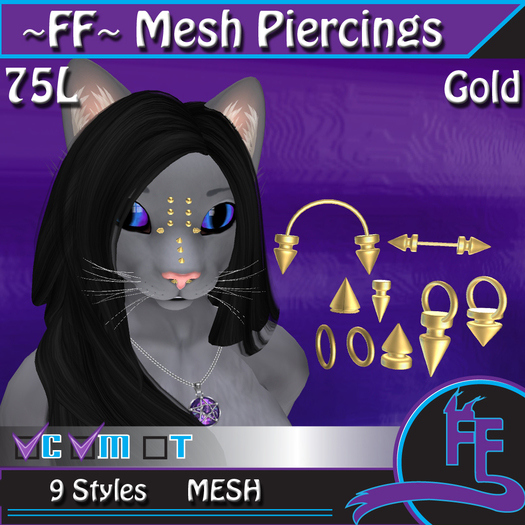

~FF~ Mesh Piercings
Copy & Mod
Un-rigged Mesh
Tintable
Instructions included
These items are mesh, small and can be fiddly, they can take time to modify right for you avatar so you're going to need patience and make sure you make COPIES of your head, ears, piercings and whatever else you intend to use.
You're going to need a quiet place to rez and build so you can concentrate. We recommend the FF sandbox as it's group only and security monitored, big build building is not permitted and sometimes there's FF staff around who are more than willing to help you tweak your avatar
You'll need to rez whatever parts you wish to add the piercings onto first. You can't add the piercings while wearing the items.
Rez the piercings carefully one by one, these are extremely small so becareful as you do. Holding ALT as you mouse click will allow you zoom close as you like to the piercings and head/ears.
You can also disable camera constraints in the advanced menu of your viewer (For firestorm you can bring this up by hitting control + alt + D altogether.
Now you can start adding the piercings to your ears or head. Take your time and adjust them as you like there's no need to rush. You can add what you like where you like, the piercings are copy and mod so you can make multiple copies (Edit the piercing and hold shift as you drag the piercing to create a copy)
When you're happy it's now time to link! Be careful with this because you need to leave the head or ears as the ROOT prim so they stay where they should when wearing. This means you want to select the head or ears LAST.
So edit the piercings and hold shift while editing and click on the rest of the piercings to be selecting all of the altogether. When you've done this finally select the head or ears or whatever you're adding piercings too. Now you can link by hitting control + L together. If you've done this right you will see all the piercings and head/ears linked together.
To check you've done this right take a copy of your ears or head (it will appear in your object folder) and wear it to check.
That's it! you're done!
If you've bought the silver version of the piercings these ones are also tintable so you can always edit linked parts and tint the piercings to your desired colour or tint them before you link.
See item in Second Life