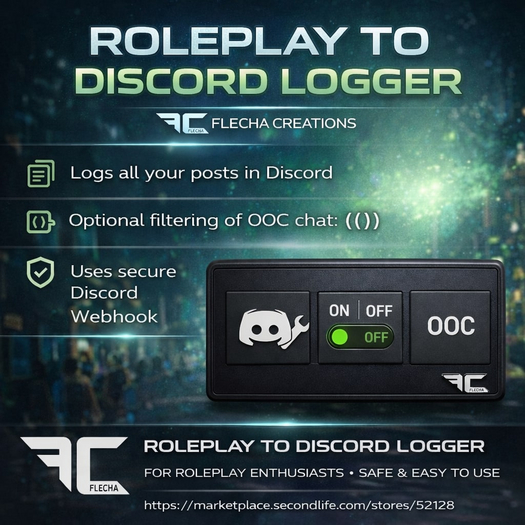

ROLEPLAY TO DISCORD LOGGER HUD
by Flecha Creations
────────────────────────
PRODUCT DESCRIPTION
────────────────────────
The Roleplay to Discord Logger HUD by Flecha Creations is a professional-grade logging tool designed for serious Second Life roleplay environments. It allows you to securely send local chat and roleplay interactions directly to a Discord channel using a Discord Webhook, creating reliable logs for moderation, review, or storytelling purposes.
Designed to be lightweight, secure, and roleplay-friendly, this HUD is ideal for police, military, fantasy, cyberpunk, urban, or any structured RP community that requires accurate and transparent chat records.
────────────────────────
WHAT THIS HUD DOES
────────────────────────
When activated, the HUD can:
• Listen to Second Life local chat
• Detect whether the speaker is an avatar or an object
• Send formatted messages directly to Discord
• Optionally ignore OOC messages written in ( ) or ending with ))
• Keep logs clean and focused on roleplay
All messages are sent securely using a Discord Webhook. No data is stored or shared.
────────────────────────
MESSAGE FORMAT (DISCORD)
────────────────────────
Avatar speaking:
[Display Name | Avatar Username] message text
Object speaking:
[Object Name | Owner Username] message text
Example:
[Lucien Blackwood | Lucien.BW Resident] /me leaned against the doorway, observing the room in silence.
────────────────────────
HUD CONTROLS
────────────────────────
CONFIG BUTTON
• Used to set or change the Discord Webhook
• Displays the currently saved webhook
• Only needs to be configured once
STATUS BUTTON
• Turns logging ON or OFF
• Invisible when OFF
• Automatically opens CONFIG if no webhook is set
OOC FILTER BUTTON
• Filters Out Of Character chat
• Ignores lines starting with ( or ending with ))
• Ideal for immersive roleplay environments
────────────────────────
HOW IT WORKS
────────────────────────
Create a Discord Webhook (free)
Paste the webhook URL using the CONFIG button
Turn STATUS ON
Local chat is instantly logged to Discord
Toggle the OOC filter as needed
────────────────────────
INCLUDES
────────────────────────
• Roleplay to Discord Logger HUD
• Detailed Help & User Guide
────────────────────────
PERMISSIONS
────────────────────────
• Copy Only
────────────────────────
IMPORTANT NOTES & LIMITATIONS
────────────────────────
• Logs local chat only (no IMs)
• Discord rate limits apply
• Very long messages may be truncated
• Intended strictly for roleplay logging
• Please follow your sim and Discord server rules
────────────────────────
SUPPORT
────────────────────────
If you need help or have any questions, please contact Flecha Warwillow in Second Life via IM or notecard.
────────────────────────
REFUNDS & STORE POLICIES
────────────────────────
NO REFUNDS are given for products that include documentation or instructions, unless the product is proven to be defective.
If an issue is reported, Flecha Creations reserves the right to:
• Fix the issue via an update
• Offer a refund if the issue cannot be resolved
• Reject the claim if no error is found
DOUBLE PURCHASE POLICY
If you accidentally purchase this product more than once, please send a notecard to Flecha Warwillow with the subject:
“DOUBLE PURCHASE”
One of the purchases will be refunded.
If purchases were made at different prices (for example during a promotion), the last purchase amount will be refunded.
────────────────────────
FINAL NOTES
────────────────────────
This HUD is designed to be:
• Lightweight
• Secure
• Roleplay-friendly
• Fully Discord-compatible
Thank you for choosing Flecha Creations — tools made for immersive roleplay communities.
Ver el artículo en Second Life- Secure webhook-based message delivery
- Toggleable logging system (ON / OFF)
- Optional OOC exclusion for clean records
- Avatar and object speaker detection
- Lightweight and low-lag performance


