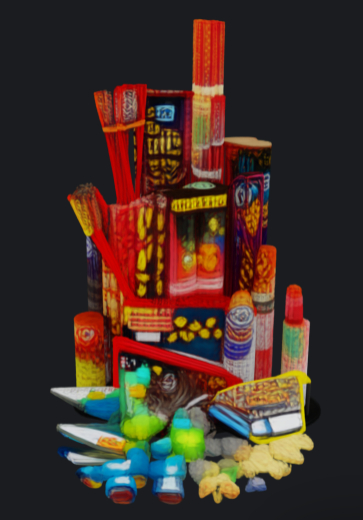


Celebrate the new year with your handy own fireworks platform!
> INCLUDES:
- Firework Controller
NOTE: THIS IS A DEMO VERSION AND COMES WITHOUT FIREWORKS OR MODIFY RIGHTS
# Fireworks Customer Manual
Thank you for your purchase.
This firework prim allows you to build amazing firework shows. The only thing that is missing, is the smell of burning firework powder.
This demo comes without fireworks, the full version can be found:
- https://marketplace.secondlife.com/p/Fireworks/27848095
We have additional fireworks effects such as:
- Crackler: https://marketplace.secondlife.com/p/Fireworks-Crackler/27849573
---
1) What You Get from the DEMO
Inside the Fireworks object you should have these scripts:
- `FireworksCore.lsl` (the controller/menu)
Included sounds:
- `mortar-shell` (Shell launch)
- `firework-fountain` (Fountain launch)
---
2) Basic Use
# To fire (Everyone)
- *Touch/click* the firework.
# To configure (Owner)
- *Owner touch/click* opens the menu.
Non-owners do not get the owner menu.
NOTE: NOTHING ACTUALLY FIRES IN THE DEMO
---
3) Owner Menu (What Each Button Does)
# FIRE
- Fires firework immediately.
# MODE
- Switches between:
- *Manual*: fires only when you press the *FIRE* button in the owner menu or touch/click (depending on Access) the firework prim.
- *Auto Fire*: fires repeatedly at the chosen interval.
# INTERVAL (only shows in Auto Fire mode)
- Sets how often Auto Fire triggers.
- Presets are available, and *MANUAL* lets you type any value between **0.5 and 120 seconds**.
# EMITTER (Effect Type)
- Chooses the firework style:
- *RANDOM*: chooses Shell or Fountain each shot.
NOTE: EMITTER IS DISABLED IN THE DEMO
The menu only shows styles that are actually installed in the firework prim content folder.
For more firework effects, visit the marketplace: https://marketplace.secondlife.com/en-US/stores/260147
# COLORS
- Choose a color preset, or:
- *RAINBOW*: random bright color each shot.
- *MANUAL*: type a custom color as `<r,g,b>` where values are *0..1*.
Example manual colors:
- White: `<1,1,1>`
- Pink: `<1,0.2,0.6>`
- Cyan: `<0.2,1,1>`
# HEIGHT
- Sets the height in meters, defaults to 7.5 which seems like a good height to me.
What it affects:
- *Shell*: how high the explosion will appear.
- *Fountain*: how strong/high the spray is.
# ACCESS
- Controls who can fire it by touching the firework prim:
- *Everyone*: anyone can click to fire.
- *Owner only*: only the owner can fire.
# CLOSE
- Closes the menu.
---
4) Troubleshooting
# I click but nothing happens
- If you are not the owner, the owner may have set *ACCESS* to *Owner only*.
- Make sure the object is not inside a restricted parcel where scripts can't run.
# Sounds don't play
- This product includes sounds. Verify these items exist in the object contents:
- `mortar-shell`
- `firework-fountain`
- If you remove or rename the sound inventory items, the firework will still work, but it will be silent.
# I don't see any effects or fireworks
- The DEMO version comes without fireworks. It showcase how the firework prim works.
- The DEMO version is limited and not expandable with brought additional fireworks.
---
5) Quick Tips
- If Auto Fire is on, you can still open the menu as owner.
- Try *RAINBOW* + *RANDOM* for variety.
- You can easily install new fireworks from https://marketplace.secondlife.com/en-US/stores/260147 by editing the firework prim and insert the content of new effects into the content tab
---
6) Support
If you need help, contact me the creator and mention:
- product: Fireworks
- your chosen style (Shell/Fountain/Random) or any other you might have installed
- your current settings (Color/Height/Mode/Interval/Access)
- your issue
- Firework effects NOT included
- Random mode: mixes installed effects automatically
- Owner menu: fire mode, interval, color, height, access
- Manual RGB + Rainbow color mode for custom looks
- Modular/extendable: add new effect scripts for more styles

