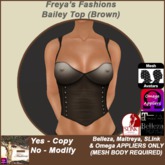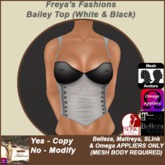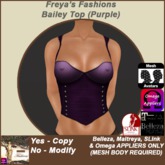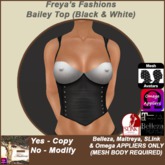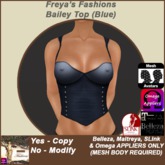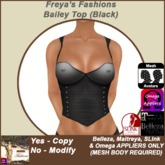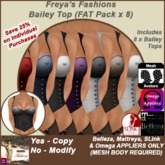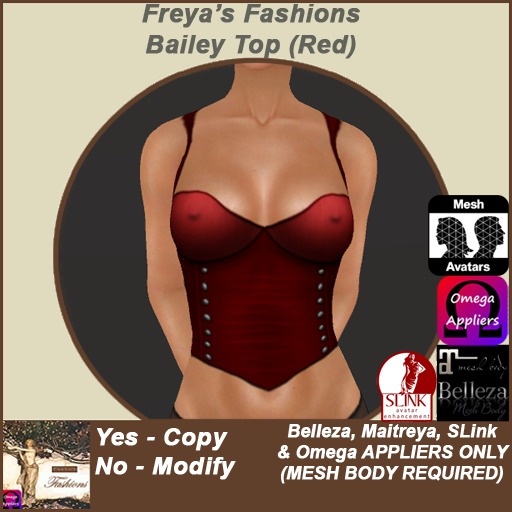

❀ Stylish top for mesh bodies
❀ Other colours & money saving FAT Pack available
❀ Contains multi-applier for OMEGA compatible, SLink, Belleza & Maitreya mesh bodies
❀ Copy perm
❀ Re-delivery via any Cvend terminal
❀ Delivered item - Auto-unpack when worn - no need to rez to unpack
You **MUST** have a mesh body to use this product!!
◣◥◣◥◣◥◣◥◣◥ PERMISSIONS FOR PRODUCT: ◣◥◣◥◣◥◣◥◣◥
Appliers : Copy
The items are copy so that you can make a backup copy in your inventory.
If you accidentally delete your items, or SL eats part of your inventory,
you can use ANY CVend redelivery terminal InWorld to get a fresh copy.
◣◥◣◥◣◥◣◥◣◥ HUD INFORMATION: ◣◥◣◥◣◥◣◥◣◥
The HUD contains buttons for each applier system. Simply click/touch whichever applier you wish to use.
Once you have made your selections and have the clothing applied, please remove the HUD.
On all appliers there is the option to wear as 'underwear' - This outfit looks FAR better when applied
to 'clothing' layer, so I only recommend applying to underwear layer if you plan on wearing something
- such as a coat - on the clothing layer
Since you can only wear one item on each layer, you may need to alter the layer from your preferred one.
Just experiment to see how you like the look.
If layers 'disappear' when adding a new layer, remember to use your Masking option on the HUD for your mesh body.
◣◥◣◥◣◥◣◥◣◥ OMEGA APPLIER INSTRUCTIONS: ◣◥◣◥◣◥◣◥◣◥
Please make sure to be wearing any relay / have used any installer your mesh body requires to function with OMEGA.
For a full list of mesh bodies that work with OMEGA please see this blog:
http://slpoweredbyomega.com/supported-meshes/l
'Wear' the HUD and click to select to apply the top layer.
In the pop-up you can select which layer to apply it to
(Clothing, Underwear or Tattoo).
If your body auto-applies to the layer make sure to click the right part of the
HUD face according to the layer you wish to apply to (where the layer text is written)
(Clothing layer recommended).
◣◥◣◥◣◥◣◥◣◥ BELLEZA & MAITREYA APPLIER INSTRUCTIONS: ◣◥◣◥◣◥◣◥◣◥
In the case of Maitreya & Belleza dedicated appliers, you select via the pop-up which layer to apply the clothing to.
(Clothing layer recommended).
◣◥◣◥◣◥◣◥◣◥ SLink APPLIER INSTRUCTIONS: ◣◥◣◥◣◥◣◥◣◥
For SLink there are 2 version available - Clothing or Underwear - click as appropriate to apply.
(Clothing layer recommended).
Remember SLink DOESN'T auto activate the layer, so you'll need to do that on your Utilities HUD
If you have ANY problem(s) please contact me InWorld before leaving a negative review
- all appliers HAVE been checked that they work correctly, and I am more than wiling to help you :-)
The item is copy, so you can make a back-up copy.
MarketPlace ANS means you can also get a fresh copy redelivered InWorld from any CVend redelivery terminal, should SL eat your item(s)
Simply wear, and auto unpacks to your inv (no need to rez in-world)
** Please see related items on this page **
- ❀ Stylish top for mesh bodies
- ❀ Multi-applier HUD for OMEGA compatible, SLink, Belleza & Maitreya mesh bodies
- ❀ Copy perm
- ❀ Re-delivery via any Cvend terminal
- ❀ Other colours & money saving FAT Pack available