![[Full Perm] Teleport Anyone (Configurable by Object owner)](https://slm-assets.secondlife.com/assets/30009030/lightbox/teleporter%20menu.jpg?1629207217)
Detalles
Funciones
Contenidos
Reseñas
Attach this script to an object. Set the name of the location to teleport in the description.
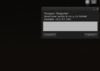
As owner of the object, touch it to bring up the menu to set the coordinates.
Fill in the coordinates to teleport to in the format: <x, y, z>
Hit Set Position and you should see that the text changes. Every time you set the position, it checks the description and updates the text above the object. If you wish to not have this text, simply leave the description empty.
Congratulations, you can now teleport by hitting Teleport in the object its menu.
- Object-owner-only-menu to set destination coordinates
- Description to set destination name
- Easy to use and implement
- No interference with other objects using this script
- No weird sit animation bugs when teleported like most other scripts
