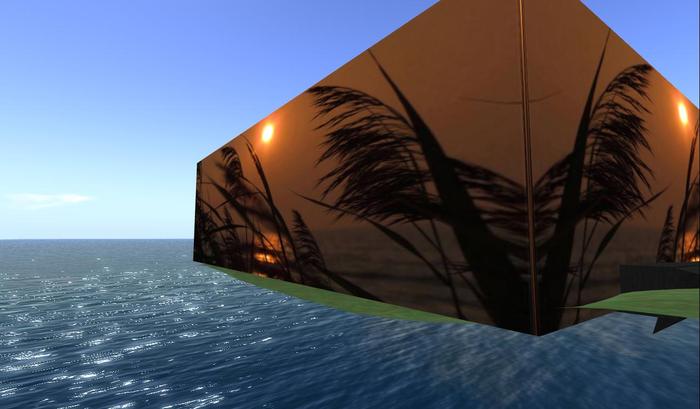
This neat idea for a screen does away with the conventional rez box which you never know if to save and collect or to leave hanging around.
This screen incorporates the rez box as the first screen you drag from inventory. Therefore you can have the screen 1 size or duplicate it by just clicking the first screen. Take a look at the images to see what I mean. No visible rez box. Only 2 prims if fully extended. SUNSET Scene both sides.
Notes:
1. Drag the GOLDSHARK REZ SCREEN SUNSET from inventory. Make sure it does not hit someone elses land or go off world or it may be returned.
2. place it to fit exactly along one line of your 4096 border. If you want another to go around the corner to cover a 2nd side of your 4096, just click the first one and select rez. It will automatically rez the 2nd screen side.
3. If you want a 3rd side screened, just pull out of inventory a another GOLDSHARK REZZ SCREEN SUNSET and place it along the 3rd side meeting the edge of screen 2.
If you want the 4th side which will make a complete surround of your 4096, just click the 3rd screen and you will see it complete to make a full 4096 surround.
Any probs please IM me.. thank you
Maudie
- READ NOTES HERE NON IN BOX
- No visible rez box it's all in the first screen!
- Same SUNSET scene both sides
- FITS EXACTLY A 4096 SIDE REZ TWICE FOR 4 SIDES
- BARGAIN PRICE


