
< Setting >
When a suitable place is clicked for about three seconds, the dialog is displayed.
"will-o'-the-wisp" can be set by pushing the button.
<The color and the display number are changed >
"will-o'-the-wisp"'s color can be changed by pushing the color button(BLUE1-3,RED1-3) of the dialog.
The number shows the amount of "will-o'-the-wisp".
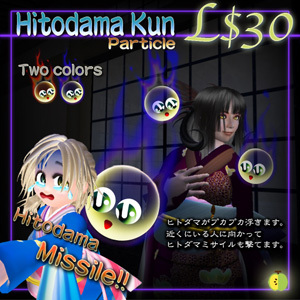
< "will-o'-the-wisp" missile >
The person who is within 20m in radius is displayed by the dialog when you push the "SHOOT" button of the dialog.
"will-o'-the-wisp" missile flies to the selected person.
< Change in installation part >
"Hitodama Kun" is attached to "Nose".
Please change the attach part when you have already attached something.
< "will-o'-the-wisp" is not displayed >
When a lot of particles are displayed in surroundings, it is not possible to display it.
When the amount of the displayed particle is set few in the environmental setting, it is not possible to display it.
<操作方法>
適当な場所を約3秒クリックすると、ダイアログが表示されます。
ボタンを押すことで、ヒトダマの設定が出来ます。
<色や表示個数を変える>
ダイアログの色ボタン(BLUE1〜3,RED1〜3)を押すと、ヒトダマの色を変更することができます。
色の後ろに表示されている数字は表示レベルです。
レベルが大きくなる程、同時に表示されるヒトダマの量が多くなります。
<ヒトダマミサイル>
ダイアログのSHOOTのボタンを押すと、
自分から半径20m以内にいる人をダイアログで表示します。
選択した人に向けて、ヒトダマミサイルを飛ばします。
<装着箇所の変更>
Hitodama Kunは、「鼻」に装着されます。
既に何かを装着している場合は、装着箇所を変更してご利用下さい。
<ヒトダマが表示されない>
ヒトダマはパーティクルです。
周囲に多くのパーティクルが表示されていたり、
環境設定で、表示するパーティクルの量が少なく設定されている場合は、
表示されない場合があります。
Obake Kun is here.
See item in Second Life