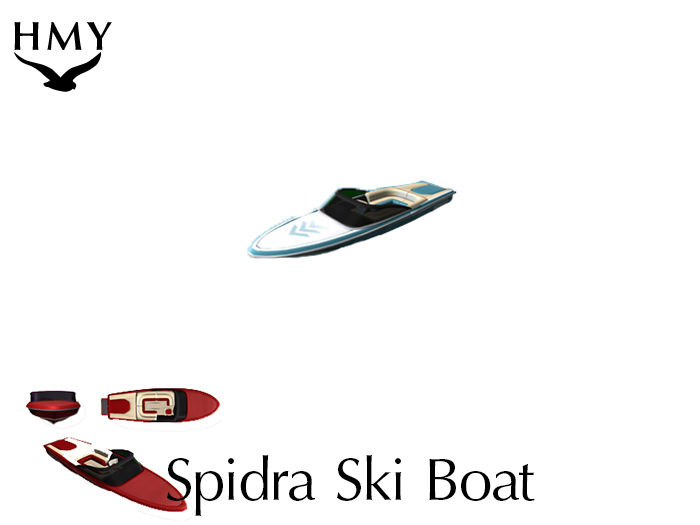


The Spidra ski boat
Unlike other ski boats available, where the person being towed is boringly
and permanently attached to the ski boat, the Spidra's tubes are separate
and independent vehicles. The towing is accomplished through a physical
simulation of a towing rope. This means that the person being towed can
influence the tube (or water skis, or wake board, etc...) and that you can
tow more than one person at a time (Tube Wars anybody?).
Buy a gift card for it, makes a great gift!
The boat is customizable in several ways:
*Top Speed
*Turning Speed
*Sound Effects volume
*Drivers (easy to use and menu driven, no complicated /chat commands)
*Colors (Version 1.0 not yet implemented)
*Speedometer settings
Rez as many boats or tubes as you like and invite your friends to a fun time on the water.
See it in world: Holiday's Modern Yachts
===========================
Spidra Instructions
===========================
Quick Start:
--------------
1. Rez the Spidra from your inventory by left clicking on it's name and dragging it out onto the water.
2. Rez the Tube next to it.
3. Left click the tube and it will request a tow. Select YES from the dialog (blue) menu. (If you click the tube and it doesn't request a tow, try moving the tube closer to the boat.)
4. Sit on the Spidra to drive. Clicking anywhere except the passenger areas will put you in the drivers seat. Have a friend sit on the tube. Now use your arrow keys (or ASDW) to drive the boat around, and tow the tube behind you.
5. More options are available by left clicking on the boat.
How To
--------
To drive the boat, you must sit in the drivers seat. If you find yourself sitting in the passenger seats instead, make sure you are sitting either on the drivers seat itself, or on a part of the hull. You control the boat with your arrow keys (or asdw). You can go into a full stop by hitting the page down key (or c). If you find the boat going to fast or slow for your taste, you can adjust the top speed (and the sensitivity of the turning) in the options menu. To adjust these and other settings, left click on the boat.
To use the tubes, they must be within a few meters of the boat to be attached to the tow hookup. Left clicking on the tube will request a tow from nearby boats. You can tow as many tubes as the sim performance will allow. Anyone can ride on the tubes, but only people you choose can drive the boat. When being towed, the driver of the tube can influence the position of the tube by hitting left and right.
Menu
------
By left clicking on the spidra you will gain access to many options that influence the way your boat operates. Here are some of the options.
OPTIONS: The options sub menu allows you to adjust different aspects of the boat. Here you can change text that appears when you drive the boat. You can turn this display on or off or change the units the speed is measured in. You can change the volume of the sound effects the boat makes. You can also change the top speed of the boat and control how tight the handling is.
UPDATE: Hitting update will check to see if you have the latest version of the boat. If you don't receive a new copy than you have the newest one.
DRIVERS: The boat can store up to three additional drivers who will also be allowed to drive. When you add a driver they will also be able to adjust the settings of the boat. To add a new driver have them stand next to the boat and then scan for new drivers. After you have added three new drivers you cannot add anymore without deleting some.
TOWING: This will turn on and off the towing hook up on your boat. Individual tubes can also be detached by the driver of the tube (or owner if no one is driving at the time).
Improving Performance
-------------------------
You can improve the performance of your boat in several ways.
First, pay attention to your mini-map and SLOW DOWN when crossing into a new sim.
Second, avoid crossing at corners where you will pass through 3 sims.
Last, if you notice that the tube doesn't seem to be behaving correctly or following the boat, check that you aren't in an "open" sim. You can check this by right clicking the ground and looking at "about land" If the amount of primitives the SIMULATOR supports is less than 15000, you are most likely in an open sim that doesn't have enough resources available to support the boat. Try a different, normal use, simulator. Notice that although Linden Water is a type of open sim, the boat works fine there. Also note that sometimes Second Life itself has slowdowns that will have to resolve themselves and settle down before your boat (or anything else) will start working correctly again.
Last Modified: 11.11.08
Brookston Holiday
BeachBonanza


