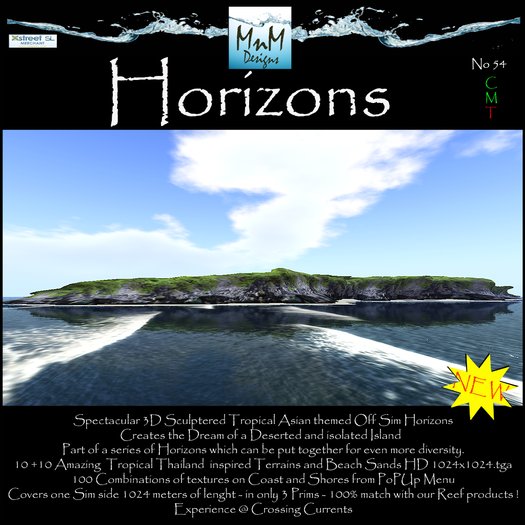

Introducing the product series named " HoriZons" is an attempt to break up the misleading attitude, that Sim Surrounds goes all the way around a sim.
From now on the brand " HoriZons" in MnM Designs terminology is an extension of land added to an "Open Space" or " Homestead" Sim within the boundaries of a cube sized 1024x1024x1024 meters. HoriZons covers nomore than 2 sides of a sim, leaving atleast 50% open waters around and inbetween.
Launching this series of MnM HoriZons is a demonstration of the many ways to improve the visual impression from living on an "Open Space" or " Homestead" Sim !
HoriZon No 54 is part of a series of tropical mountains and cliffs that can be blended to even envelope a sim ! The 50' series shares the same 10 Asian tropical themed terrains for the grounds and mountains. If the HoriZon has a beach, then this part has the same Sand textures as our many Off Sim Reef products. This product offers 100 combinations of terrains and beaches.
Sand textures are part of our " Terrain Textures" Volume 1 to 20.
No need to loose the ocean view from high up mountains nomore or feel alone from staring out on the endless and deserted ocean.
Go visit Crossing Currents to see how we have implemented some of these fabulous and amazing tropical islands.
Look up our Beach Shops to see a scaled 1:1000 version or try our Demo Rezzer to check up on all the other HoriZons presented.
We have an extensive range of HoriZons and Sim Surrounds to cover most needs. Please dont hesitate to call Lie Rang if you need further information.
We do make custom HoriZons & Surrounds on request.
Detailed Installation Guide included in all packages.
To be able to see huge maga prims far beyound sim borders you will need to set " Draw Distance" in your Graphical Settings to atleast 512 meters.
Some client viewers allow even further distances.
To be able to edit and move huge mega prims, it is suggested to access the advanced menu (press Ctrl-Alt-⇧ Shift-D) and to toggle "Limit Select Distance" OFF, as well as "Disable Camera Constraints" ON.
OBS !
In some regions staying inside the boundaries of prims can cause malfunctions in default "sit" and some unsupported AO's.
But ofcourse scripted sit will allways work.
Rumors that mega prims are causing lag can be denied as long as they are keept "phantom".
Collisions occurs only from trying to sit or walk on " non phantom" mega prims, despite their sizes !
When it comes to our Sim and Island Surroundings, they are all phantom and rezzed outside sim borders, so they will not cause any lag by themself as prims !
- Adds a third dimension to your Second Life
- 3 Prims ONLY
- Owner Menu with Access List for friends
- 10 Terrains & Beach Sands
- Installations Guide


![Sim Surrounding No 40 [Boxed] from ***MnM Designs***](https://slm-assets.secondlife.com/assets/3775849/view_small/Sim%20Surrounding%20No%2040_2.jpg?1308765015)


