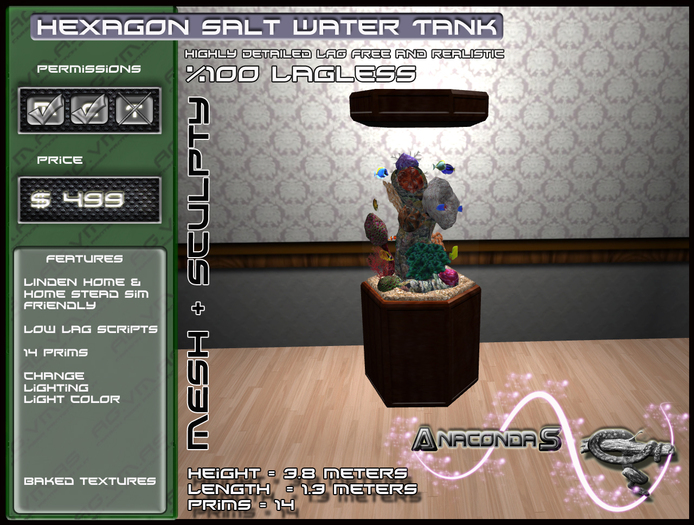

Warning! this contains MESH parts and will require a mesh viewer.
Important! Please follow my instructions in order to setup this fish tank.
Step 1. Rezz the fish tank (It comes in 2 parts) the outer tank and the inner tank.
Step 2. Click the Fish tank and click the option HandleOn.
Step 3. Right click and edit the RED handle
Step 4. Holding the handle in edit mode hold down shift and select the outer fish tank part
Step 5. Now having both parts selected in edit mode you can move / rotate / resize this fish tank.
Step 6. Turn the HandleOff (The handle will also automatically turn its self off after one minute)
Resizing is possible but keep in mind resizing mesh objects can increase there Prim Count.
Options
HandleOn (Activates the helper handle that is used to help you select both parts of the tank so it can be moved / rotated / resized.)
HandleOff (Deativeates the helper handle)
Light >
On (Turns the light On)
Off (Turns the light Off)
Color (Allows you to change the color of the light)
If you need help with the setup feel free to contact me any time.
Veja o item no Second Life- Low lag
- Baked textures
- Linden Home & Home Stead sim friendly


cant drag and copy the fish
scripts dont copy, also i couldn't just drag the whole thing to copy i had to unlink .. was about to get the copied fish working via a texture scroll script i had .. honestly just grabbed this for the fish to add them to my tank i made for my own use.. didn't know what to search to find the sculpts the fish scroll on .. this one ended up working out ok with some extra fuss.. so this is half copy i guess


