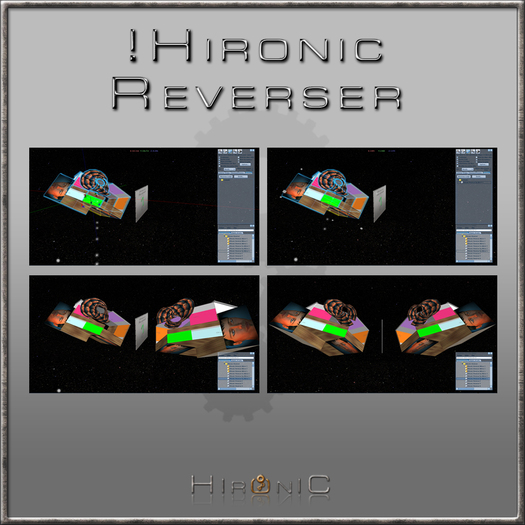

I decided to sell my two symmetry tools together, the MagicMirror and the Reverser, as if one was a gift with the other.
=== MagicMirror :
It's an improvement of the Symmetrizor (saled with a friend but scripted by me too)
It allow you to symmetrize many objects at the same time, using a mirror where you can sit on if you make some avatars accessory (shoes, boots, armors, hairs, skirts,...) or without sitting on for other builds (building, car, mall, ...)
Symmetrizor :
- you need to unlink all object
- use 4 scripts in each prim
- you need to link the prims in the copy
MagicMirror :
- no need to unlink
- only 1 script in each prim
- the copy is automatically linked at the end of the symmetry, in the same order that the original object
=== Reverser :
It works easier (just one script to drop in your build) and faster, with or without mirror (it can use axe X, Y or Z if you don't need a mirror) but it is made to symmetrize one object at a same time
=================================
Limitations :
Reverser & MagicMirror can symmetrize all prims but there are three specials issues :
1) a) MagicMirror and megaprims :
you need to replace the cameleon by a copy of this megaprim, and if this is a flexy cube, you have to use a megaprim with same scales but X and Y inversed (<20,15,10> => <15,20,10>)
b) Flexy huge cube with the Reverser, you will have to replace the prim by one with X and Y scale inversed (<20,15,10> => <15,20,10>), but it works well for all other huge prims
2) Revolution, if you use decimal revolution it is impossible (even manually) to symmetrize it, but it works well with an integer :
1, 2, 3, 4 works very well, but 1.35 is impossible (but Reverser or MagicMirror symmetrize the prim in all case, you can try to adjut it manually, to have a "near perfect" symmetry)
3) Slice, this parameter is not yet added in any LSL function :/ You will have to add this value manually (in most case, just inverse the slice of the original prim)
================================
For any question don't hesitate to contact me :)
See item in Second Life- Both tools : Symmetrize your build
- MagicMirror : symmetrize one or more object at the same time
- Mirroring your build and automatically link the symmetry
- Reverser : Easy and fast with just one script, along axe X, Y or Z
- As easy, but with a mirror and just one script, reflecting in the mirror


EXCELLENT!
Très bon produit pour un coût très accessible!
Explications en anglais et en français
Très simple à utiliser! Merci Rohacan:)
Fonctionne très bien avec les flex! Symétrie parfaite!
Une petite suggestion... Une version pour les mesh ou les nanos mesh serait cool:))
needs more work
i'm sure you worked hard on it, but its kinda waaaay too complicated.. i dont wanna have to take this stuff back into my inventory after every time i wanna place out a prim. the directions are also unclear, a video tutorial would clear a lot up, but overall i don't think ill be touching this anymore. it is another one of those things that will float in my inventory for a few years.