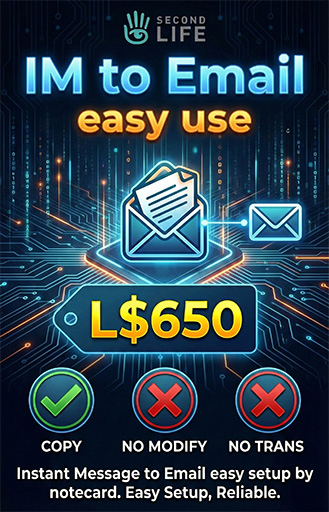

Thank you very much for your interest in and purchase of the "IM to Email by Notecard" script. We greatly appreciate your trust in our products.
This script is the perfect tool to ensure you never miss an important message within Second Life. Its primary function is to receive Instant Messages (IMs) sent to the "Object" containing the script, and then forward the content of that message directly to your real-world personal email address.
It is ideal for use in mailboxes, customer service desks, or any object you wish to act as a contact point while you are offline.
Detailed Setup and Usage Guide:
This script is designed to be extremely user-friendly, relying on a "Notecard" for configuration. This means you will not need to open the script itself or modify any code lines.
Steps:
Prepare the Object: Create the object you desire (e.g., a mailbox, a character model, or just a simple box), and Rez it on the ground.
Add Contents:
Right-click the object and select "Edit".
Go to the "Content" tab.
Drag and drop the script file (IM to Email Script) into the object's contents.
Configure the Notecard:
In the same Content tab window, create a new Notecard by clicking the "New Notecard" button. It is preferable to name it "Config", though the name is not strictly required as long as the script is programmed to read the available notecard.
Open this new Notecard.
Enter Your Email:
Inside the empty Notecard, simply type the personal email address where you wish to receive messages.
Example: myemail@example.com
Ensure there are no extra spaces before or after the email address, and verify it is typed correctly.
Save and Activate:
Click the "Save" button to save the Notecard, then close it.
The script will automatically read the email address from the Notecard. (A message may appear in local chat confirming successful configuration reading).
The object is now ready! Whenever someone clicks the object and sends it a message, a copy will be delivered to your email.
Very Important Notes:
Check Spam/Junk Folder: Email providers (like Gmail or Hotmail) often classify messages originating from Second Life as spam the first time they arrive. Please check your Spam folder and mark the message as "Not Spam" to ensure future delivery to your inbox.
Sending Limits: Linden Lab imposes limits on the number of emails an object can send per hour. This script operates within these limits, but if a massive number of messages arrive in a very short time, some emails may be delayed.
Additional Services & Technical Support:
Once again, thank you for purchasing this product.
I am Spider Mycron, and I am happy to provide technical support regarding this script should you encounter any issues.
I am also pleased to offer my services for custom LSL Scripting. If you have an idea for a specific script you need, or a particular modification, please do not hesitate to contact me. I am fully prepared to execute your requests and assist with your projects at very reasonable and competitive prices.
Contact Information:
In-world: Spider Mycron
Email: team@ourchands.com
Best regards.
Voir l'article dans Second Life- IM to email setup by notecard
