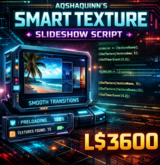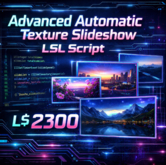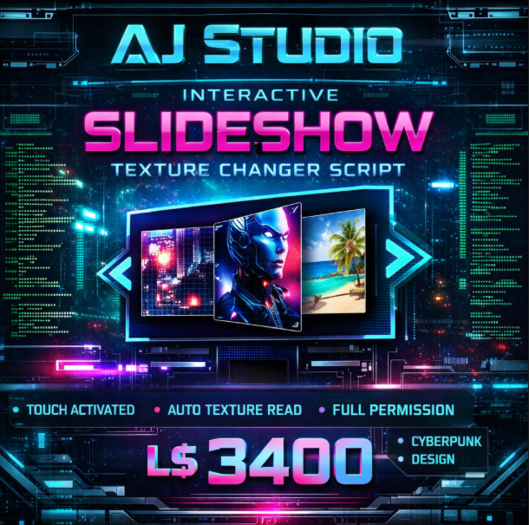

The Slideshow Texture Change on Touch LSL Script is a clean, efficient, and user-friendly solution designed for creators, merchants, and builders in Second Life who need an interactive way to display multiple images within a single object. Whether you are running a store, building a gallery, showcasing product photos, or creating an information board, this script allows users to cycle through textures effortlessly by simply touching the object.
This script automatically detects all textures placed inside the prim’s inventory and organizes them into a slideshow sequence. Once rezzed, the first texture is displayed instantly, requiring no manual configuration, menu setup, or channel commands. Every subsequent touch advances the slideshow to the next image, looping back to the beginning once the final texture is reached. This makes it extremely intuitive for both creators and end users.
One of the biggest advantages of this slideshow script is its plug-and-play design. You don’t need advanced scripting knowledge to use it. Simply drop the script into a prim, add your textures, and it works immediately. The script dynamically reads the texture inventory using built-in LSL functions, ensuring that any texture you add or remove is automatically included when the script resets or the object is rezzed.
The full permission nature of this script makes it especially valuable for creators and resellers. You are free to copy, modify, and transfer the script according to your project needs. This flexibility allows you to customize it further—such as adding hover text, timers, auto-rotation, menu dialogs, or access controls—without any restrictions. It is also ideal for bundling with products, prefabs, or scripted display systems.
Performance and efficiency were carefully considered in this design. The script uses minimal memory and avoids unnecessary listeners or timers, making it safe to use even in high-traffic regions. Since it only responds to touch events, it does not create background lag or constant processing overhead. This makes it suitable for shops, events, exhibitions, and roleplay environments where performance matters.
From a practical standpoint, this slideshow script can be used in a wide range of scenarios. Merchants can display product variations, color options, or feature images in a single vendor. Photographers and artists can create interactive portfolios or gallery frames. Educators and roleplay builders can show instructional images, maps, or story panels. Even home decorators can use it for digital photo frames or wall art.
Another key strength of this script is its reliability. The script resets cleanly on rez, ensuring that textures always load correctly after region restarts or object movement. The texture index is safely looped, preventing errors or blank textures. Because it relies entirely on inventory texture names, there is no need to hardcode UUIDs or manually update the script when textures change.
The simplicity of this script also makes it an excellent learning resource for new scripters. The logic is clear and easy to understand, making it perfect for studying how inventory reading, lists, and touch events work in LSL. Advanced users can expand it into more complex slideshow systems with transitions, fade effects, or automatic timers.
Visually, the script gives you full creative control. You decide how the prim looks, how big it is, and how textures are arranged. Whether you want a clean professional vendor board or a stylized cyberpunk display, this script adapts to your design. Optional floating text can be added to show slide numbers or instructions, but it is left disabled by default to keep the base script clean and flexible.
In summary, the Slideshow Texture Change on Touch LSL Script is a must-have utility for anyone in Second Life who works with visual content. It saves time, reduces complexity, and delivers a smooth, interactive experience for users. With full permissions, automatic texture handling, and lag-free performance, it’s a reliable foundation for countless creative and commercial projects.
If you’re looking for a simple yet powerful way to showcase multiple images in one object, this script is the perfect solution
- Touch-Activated Slideshow – Change textures instantly with a simple click
- Automatic Texture Detection – Reads all textures inside the object automatically
- Full Permission Script – Copy, Modify, and Transfer enabled
- Lightweight & Lag-Free – Optimized for smooth performance
- Perfect for Displays & Vendors – Ideal for galleries, ads, and info boards