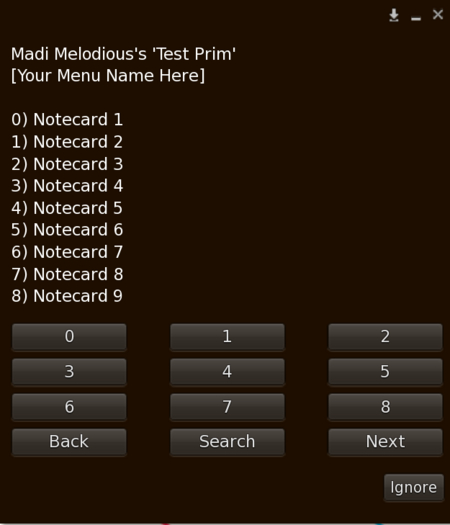



Inventory Dialog brings clean, intuitive interaction to your object’s inventory with dynamic, type-based menus and built-in search. Whether your users are hunting for notecards, textures, or scripts, this LSL-powered tool delivers fast access and elegant UX.
✨ Features:
‼ Dynamic Setup — Menus auto-configure based on selected inventory type at runtime
‼ Nested Menus — Presents categorized lists of items for organized browsing
‼ Integrated Search — Users can search by type, returning the first 9 results for quick selection
‼ Flexible Integration — Returns item name for seamless use in other scripts or dialog flows
‼ Standard SL Inventory Support — Works with all SL asset types (notecard, landmark, texture, etc.)
Whether you're building HUDs, vendors, games, or roleplay systems, Inventory Dialog simplifies user interaction and empowers clean inventory access
- Inventory Select Script
- Demo Script
- Multi Menu Dialog
- Configure on Use
- Search Inventory
