Contents:
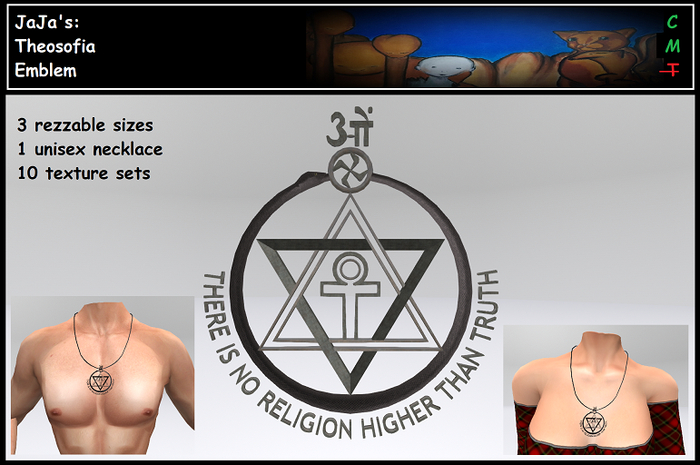
3 Emblem sizes for rezzing:
- Large 2 meter: 10 LI
- Med 0.5 meter 2 LI
- Small 0.2 meter 1 LI
1 Emblem Necklace, unrigged, add (to chest)
All items are copy & modify. Texture-scripts are no-modify.
Materials need Advanced Light Mode active to be seen.
Full bright is applied to the eyes.
Buying this product gives you access to the vendor on my land for give-away necklaces: no-copy and can be given away to others. (5 for 100$L or 30 for 300$L)
=========================
Resizing the Emblem:
Every version (large, med, small) can be resized by you.
Use the white dots to maintain the proportions.
The small version can be sized down to 0.1. Making even smaller is possible but you will have to change the thickness (y axis) from 0.01 to for example 0.012 before going further..
=========================
Texturing:
Use the texture menu or do it yourself with edit.
1) Touch for menu.
2) Choose a set and select "ALL" to apply it's defaults:
- Scaly texture for the snake.
- Shiny texture for the wheel, the spirit-triangle and the sides of the smaller symbols.
- Rough texture for the matter-triangle and the front of the smaller symbols.
Optional:
3) Adjust the defaults to your liking:
- Select partial re-texturing in the set-menus. You can combine different sets.
- Select a different eye texture. (in the EXTRA menu)
- Necklace only: Select a different cord texture. (in the EXTRA menu)
- Manually recolour the emblem or a face. The Selenite (white) set is added for pure recolouring.
- Turn OFF materials if you do not like the ALM effects. (in the EXTRA menu) Should you regret turning OFF materials you will need to re-apply all the faces as in step 2.
4) Copy the emblem, rename appropriately and remove the script.
Note 1: As long as the description field = "OPEN" also others can access the texture menu.
Note 2: Having more objects of this pack in-world within range means touching them all before using the menu for changes will impact them all. This can trigger the (in this case harmless) error message "Too many llDialog requests."
If you want the object to stop listening to the script use the [BACK] button in the main menu. (Or wait 2 minutes.)
=========================
Resizing and fitting the necklace:
Edit while worn, use stretch with "Stretch both sides" selected and pull in or out by one of the white dots.
Use move on z & y and rotate on x to place it correctly around the neck and on the chest.
For tinies or child avatar it can happen you reach the minimum size, solve this by edit linked parts and scale up the transparent prim's z size.
A transparent prim is added to the necklace to make selecting it easier. This is really all it does, it has no scripts. So if you no longer need to touch for menu or select for resize you can unlink and delete the extra prim if you like.
=========================
Happy Truth-Quest!
<3 JaJa
- Emblem
- Necklace
- Theosofical Society
