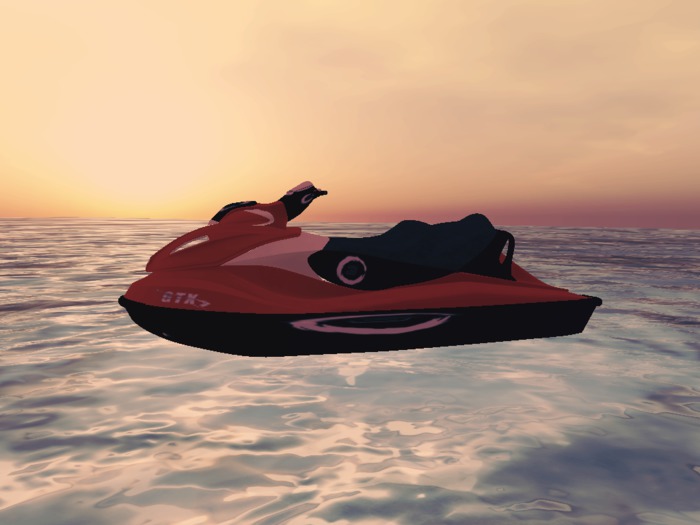

A jet Ski perfect for summertime play on SL Oceans.
All DRE Motors Bikes Or boats Use KCP ACS SCRIPT and Pose menu all are Fully customizable.
features of the bike:
Clicking on the bike or on hud you will have the following functions:
anti-theft system
ability to drive mouselock
Flight
Manual or automatic gearbox
Resizer - enlargement or shrinking of the bike
Position - modification and regulation of the avatar on the bike to improve posture
Burnout - scoured and smoke
Horn
Lights - that you can clearly see when turned on
Parking - When you get off the bike, it tilts and rest on the stand in a natural way
Different set of sounds for the engine based on bike design
Avatar posture on the bike change automatically depending if it is running or stop or reverse - park
ATTENTION: the different models of motorcycles and avatars, positions may not always match perfectly,
but you can simply adjust them from the menu
Departure:
To sit on the bike right-click the engine and then sit down,
the passenger can sit by clicking on the seat of the bike.
Use the Shift and Arrow keys left and right, to change the gears it is also possible using the HUD or the menu of the bike
with the Up and Down the Moto rears, in the Options menu you will find other options for sound editing and basic positions when availble,
Base INFO
Motorcycle Instructions
RIDING
To drive the bike, right click it and select the option from the pie menu.
Use the arrow keys to accelerate, brake, and steer.
To shift gears, press the SHIFT key and the left or right arrow key.
To drive in reverse you will need to select reverse gear
For sharp turns at speed, skid out by pressing the back arrow while turning.
For Nitrous Oxide boost (NOS), press both the up and down arrow keys together.
For wheelie, use the E key (or page up), use C (or page down) to nose down.
Click on the bike for the menu system. From here you can access the customization options and position adjust as well as the lock system and handling options.
To engage FLIGHT mode, press both left and right arrows at the same time!
In flight, use the E key (or page up), use C (or page down) for down.
To use the HUD functions you must be seated on the bike!
- JetSki
- Directions
- Control HUD


read reviews first
the reviews say it all ..
not what expected
It's nice, but very complicated commands, hard to remember and not so responsive as needed. Many commands from hud don't work, and too much confused are the commands on menu. Some time the response to commands is unexpectedly immediate and other times take so long time. Good sim crossing without loss of the jetski neither on the most laggy places. But more pain than fun. You get what you pay.
5* PLUS
This Jetski is so much fun and easy to operate even for us 1st time jet skiers!
Well worth the Lindens!
Thank You!
Very nice for 50L!..thanks!
Thanks for making a great product affordable...this one is much better than the 499 garbage!


