
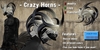
A pair of demonic horns, when i build them i started with only 2 but then i said "Why only 2? Let's try something different.." and this is the result.. horns almost like hairs. This product is not a simple attachment, if you touch them you'll see a menu with 3 buttons:
Resize, Color, Hide
- Color: with it you can change color for your horns (everytime you detach and wear again them will return to their default color White/Black) and you can choose between 67 colors, subdivided in 10 groups.
_ Hide: with it you can hide your horns, to show them again just detach and wear horns again or choose a color from menu.
- Resize: after touching the horns, choose All prims then a menu will appear:
Scale +1%/Scale +5%/Scale +10% These will increase the total size of the object by 1 5 or 10%
Scale -1%/Scale -5%/ Scale -10% These will decrease the total size of the object by 1 5 or 10 %
Pose->Start: Well, this allows you to strike the same pose you would normally be in when editing appearance. Quite usefull to keep standing still without the use of a pose stand.
Pose->Stop: Tired of standing still after pressing start? This will snap you back out of the pose.
Restore->Store: This will revert all changes since the item changed owner.
Restore->Last Rez: This will revert all changes since the item was last rezzed or worn.
Delete: This will remove al scripts from the item that are used for this tool. Remember if you do this you will not be able to modify it anymore (SO BE SURE TO MAKE A COPY OF ITEM BEFORE PROCEED). Why would you want to use this then? Lag... All scripts use up sim resources, if you remove the scripts, the sim will lag less.
You can find item InWorld here:
http://slurl.com/secondlife/Bonayre/209/106/42
__________________________________________________________
Don't forget to visit our shop and take a look around, we have Midnights Mania, Lucky Chairs, and others surprises =^.^=
Keyword for search: Neko, Demon, Horns, Menu, Sculpt, Vampire, Resize
