



Details
Features
Contents
Reviews
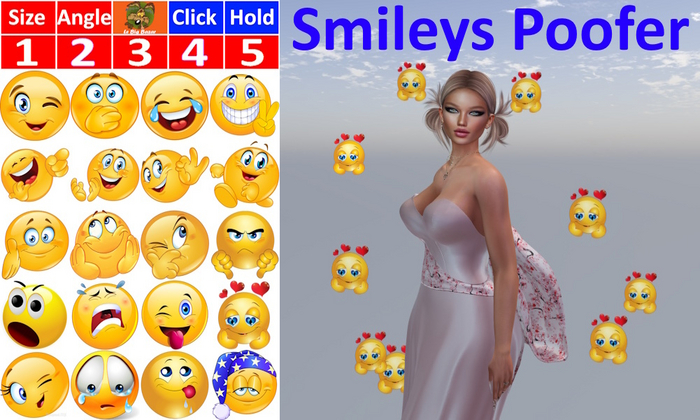
20 smileys to enhance and amplify your nearby chats and IMs
How it works ?
Double click to load LBB - Smileys ADD in your body
Double click to load LBB - Smileys HUD on your sceen
Click on the small LBB LOGO to resize the HUD as you wish
Click Size button then 1 2 3 4 5 to choose the smiley sizes
Click Angle button then 1 2 3 4 5 to change the angle at which smileys are sent
Use Click button to send a small amount of smileys (left click)
Use Hold button to send lots of smileys (click & hold)
Click the smiley of your choice and have fun
See item in Second Life


