
╔═.*.═════════════════════════════════════╗
http://maps.secondlife.com/secondlife/Dandelion/36/30/21
https://alruniaahn.wordpress.com
╚═════════════════════════════════════.*.═╝
Copy Mod
Original Mesh and Textures by Alrunia Ahn / Lilith's Den
Attach points default : Left and Right ear. Just click " add" or " wear"
Scripts: [PXL] (c) Hart Larsson
Contents:
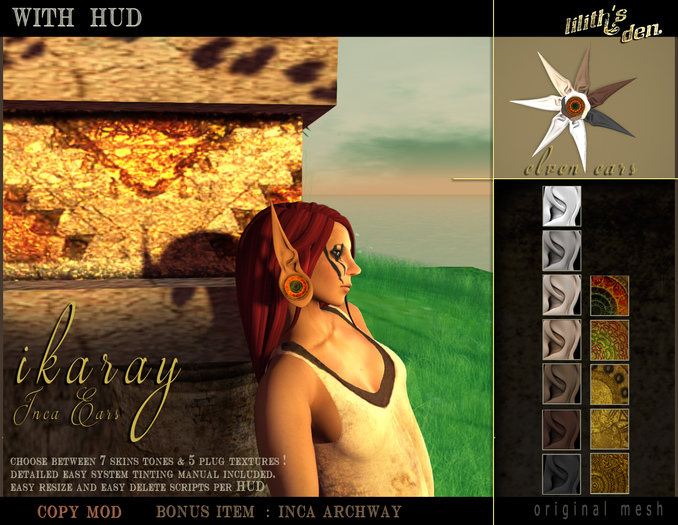
HUD - Texture & Resize your LD Ikaray Inca Ears -humanoid (copy only)
LD EARS ALPHA (fullperm)
LD - Ikaray - Inca Ear - Elven L
LD - Ikaray - Inca Ear - Elven R
Bonus: Lilith's Den - Ikaray Archway (copy /mod 15 Li in current size. 7 li at miniature and 10 at smallest walkable )
ALPHA wearing optional:
Depends on your actual ear and head size and shape , whether you need it or not.
HUD
When attaching the HUD it can happen , depending on the viewer and graphic settings you are using,
that the HUD needs adjustment .
You can right click select it , choose edit and move it with the direction arrows.
In rare cases it may even not show at all... in this case open your inventory, right click select the HUD, choose edit....
Archway:
Do not attach ! Well you can, but do not yell at me if you do, like a friend of mine did :)
Detailed Tinting Manual:
The Ears come with 7 basic skin tones, but for the variety of possible individual skin colors you will want to adjust the color.
SL has a fine built-in system color picker.
So here goes how to open it :
You don't want to tint the whole ear inclusively the plug, thus you open the build window
- (CTRL+B) - EDIT (the arrow button) - select "edit linked" and then the ear part per LEFT click.
To tint both ears same time, hold down SHIFT key and select the other ear part as well.
- Go to the Texture Tab
- Click on the color square (on the right) , which should show WHITE per default
- The COLOR PICKER comes up
- Move the cross-hairs (in the big square at the top) around to adjust color :
near the top are brighter colors, more subtle as you move down
- To darken or lighten, move the slider on the right up or down.
In case you tinted only one ear,use the pipette to "pick" the color from the already tinted part while the not tinted part is selected.
It may require some patience and trial and error, but in the end you will find this a strong tool to help you to really fit your ears to your skin :)
Enjoy!
Visit Lilith's Den sometimes and have fun out there!
Nuts and Laughter
Runa, the Elf
For a demo visit the store.
General Discounts on in-world purchases
╔═.*.══════════════════════════════════════════════════════════╗
Social Media
Blog : https://alruniaahn.wordpress.com
Flickr : https://www.flickr.com/photos/mandragora-lilith/
Twitter: https://twitter.com/MedievalFantasy
Pinterest : http://www.pinterest.com/alruniaahn/liliths-den/
Facebook: https://www.facebook.com/runa.elf
Plurk: http://www.plurk.com/runa_elf
2nd Friends: http://www.second-friends.com/profile/RunaElf
Google+: https://plus.google.com/u/2/100787997809722241902
╚═══════════════════════════════════════════════════════════.*.═╝
See item in Second Life- With texture HUD
- Tintable
- Resizer
- + Alpha Layer


