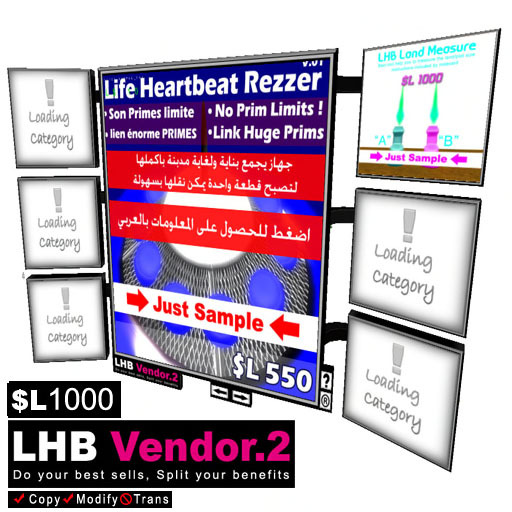

The LHB Vendor System .2
The The LHB Vendor System .2 a new way sell your products !!
Features:
______________________
1. You can sell anything you wish by this vendor.
3. You can activate slide show all your products put in vendor.
4. You are able to split sells to share your benefits with your partners/friends by any percentage you wish to decide,
How it work ?
______________________
1. Before you start use your vendor you need to prepare your items/products for the vendor:
* Give your products permission you wish (Copy, Modify, Trans).
2. The LHB Vendor System .2".
3.Put your products (boxes) inside the vendor (right click vendor , then hit edit, then go to content tab and drop any
item you wish to sell inside this content Tab).
4. Edit the notecard (data) inside the Vendor (content tab), double click it to open.
5. you need to fill it with all information you need for anything you wish to sell in vendor just like below :
Example: if you have item wish to sell by this vendor that is called "house", open the "data" notecard to set parameters for that "house" item like below:
Type inside in this form:
sample_001#10#83b8ad10-c671-fc88-71c6-75e7109844d1#1#7c5eb68f-c10b-419b-9080-f2291dd01881#25
sample_001: your item name.
Price: your item price
TetxureUUID: your texture UUID to show on viewer, i just put exmple above you can change it with texture you want for
your product.
Partner UUID: Your partner UUID - put yours if you don't wish to share with any.
Percent: Percentage you wish to give to your partner.
After you define parameters for all items, SAVE
Click button M and choose RESET
Now system is ready
Click Screen on vendor viewer to choose if you want Slide show or not (By default it is set to OFF)
Best luck everyone
Spider Mycron
Life Heartbeat
E.mail : admin@lifeheartbeat.com
Website: http://www.lifeheartbeat.com
Support: http://www.lifeheartbeat.com/support
