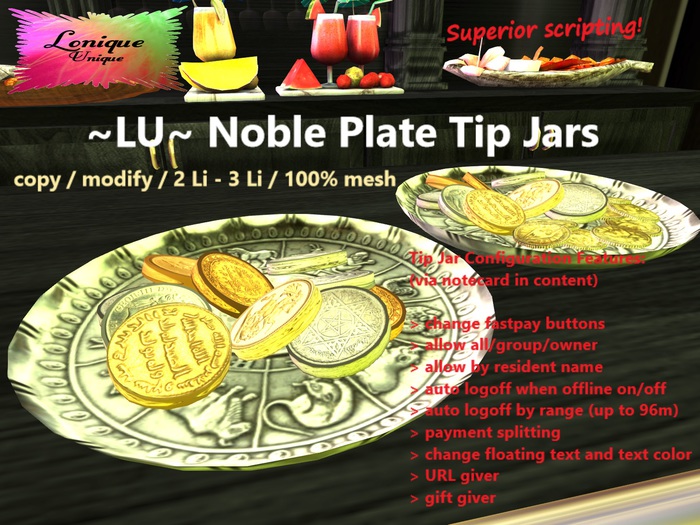
~LU~ Noble Plate Tip Jars
100% Mesh
2 Li with 10 coins
3 Li with more coins
Edit size, color and textures of the mesh to your preference!
Tip Jar Configuration Features:
> change fastpay buttons
> allow all/group/owner
> allow by resident name
> auto logoff when offline on/off
> auto logoff by range (up to 96m) on/off
> payment splitting
> change floating text and text color
> URL giver
> gift giver
This tip jar is ready to use. By default it is allowed to everyone.
How to change the configuration:
1. Put the tip jar on the ground (rez).
2. Edit it with right click (Firestorm viewer).
3. Go to content tab.
4. Open the .abVenueTipJarConfig file, read
carefully through it and make your changes.
Need further help or want to give feedback and suggestions?
Contact Lonique Magojiro
See item in Second Life


