
******************
LazyHello!
******************
When you arrive in a place (for instance a club) with lot of people, you have the choice to say:
- nothing :)
- Hello everybody!
- Hello (list of avatars first name around you)
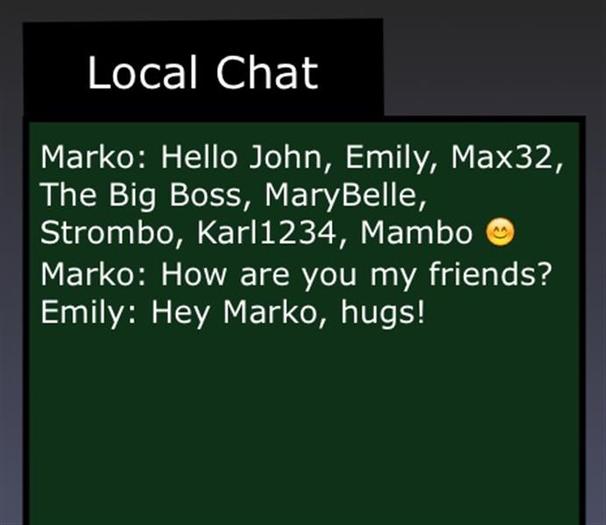
With LazyHello! you just have to touch your left shoulder to get a menu, click a button, for instance "Hello", and your message is sent to the local chat with the name of all avatars within 30 meters around you! Just like that:
Hello John, Paula, Peter, Nina, Alex, Babylove, Charly :)
When you leave the place, you can do the same, this time with the "Good night" button:
Good night John, Paula, Peter, Nina, Alex, Babylove, Charly :)
For your convenience, the current buttons are:
Hello
Hi
Hola
Good bye
Good night
Adiós, buenas noches
Bonjour
Au revoir
Salut
Now the good news: you can create your own texts! Just Edit the notecard inside the LazyHello object. To do that, just right click on your left shoulder, Edit, go to the Content tab and double click on the Config notecard to open it.
Inside the notecard you can see that each line starts with a special word, called a keyword:
- Writer is to specify the name you want for you in the chat dialog, for instance: John Dee. If there is no text after the = character, the name of your avatar will be used by default.
- Range defines the distance in meters to detect the avatars around you. 20 is a good value for a "normal" chat. If no value is given, 20 will be used by default. According to the range value, the text in chat will be whispered (0-10m), said (11-20m) or shouted (21-100m).
- Button defines the text for a button in the menu.
The LSL scripting language limits the length of text for each button: no more than 24 characters!
Empty lines or lines beginning with # (comment) are ignored.
Warning: only standard ASCII characters are allowed (no special or extended characters like smileys, etc.).
Installation
************
To wear LazyHello, open your inventory, open the folder LazyHello!, right click on the object LazyHello! and choose Wear in ther context menu (or double click in it if your viewer allows this function).
That's all:)
Enjoy!
- Say something in chat to a list of avatars
