![[M] The Donation Bears](https://slm-assets.secondlife.com/assets/35052755/lightbox/The%20Donation%20Bears.jpg?1713450072)
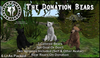


The Donation Bears Are Three Separate Animated Bears (Black, Brown and Polar!) and are here to accept donations on your behalf!
How Do They Work?
- Rez A Bear
- Right Click And Edit Said Bear
- Change The Bear's Configuration Notecard To What You'd Prefer
This Includes:
• Changing The Other Avatar To Receive L$ Key Number (Other Av Only)
• Showing Float Text Above The Bear
• Changing The Color Of Said Float Text
• Changing The Bear's Float Text (To Customize For Your Land)
• Changing The Donation Goal (Or Set To 0 For No Goal)
• Changing The Pay Preset Options
• Changing The Thank You Message A Donation Receives
• Setting If You'd Like To Receive IM's On Donations
(Donation Brown Bear: Reterik Resident has donated L$10 in (Location))
- After Completed, Click Save On Notecard, A Pop-Up Will Prompt You To Reset The Bear
- After Reset, Accept Debit Permissions If Prompted (Used So You Pay The Other Avatar On Donations)
- Test Your Bear If You Wish To Hear Him Roar His Thanks Of Appreciation!
On Donations, The Bear Will Play A Roaring Bear Sound!
Two Versions Are Included:
•Self-Pay Donation Jar
This means that all donations donated to the jar stay within your L$ Balance
•Other Avatar Donation Jar (This Bear Is Labeled With (Other) In Pack)
This means that all donations will go to a selected avatar, such as a banker avatar, for your L$ safe keeping. This is chosen by you in the configuration notecard.
The Bear's Are Copy + Modify, With No Modify Scripting, And The Notecard Is Full Perm For You To Easily Modify
The Bear's Are 6 Land Impact At Their Current Size, But Can Increase In Land Impact If You Decide To Make Them Larger.
See item in Second Life View Video »- Three Bears
- Self Paid or Other Avatar Paid
- Makes Roaring Bear Sound On Donation

![[M] Blood Gurgle Donation Jar](https://slm-assets.secondlife.com/assets/34791172/view_small/blood%20gurgle%20donation%20jar.jpg?1709081979)