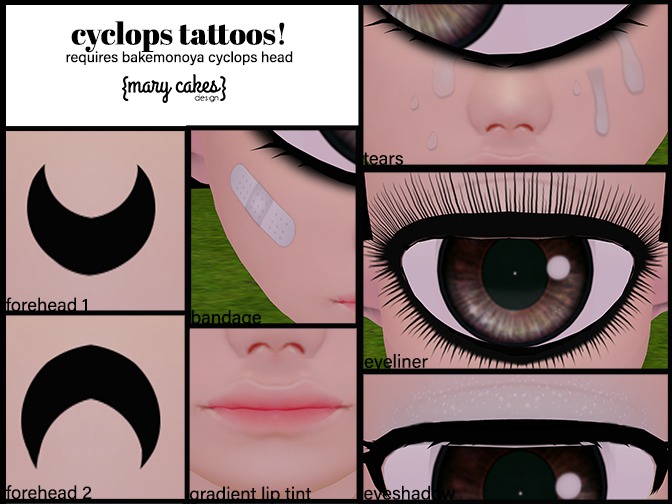
These need to be manually opened by rezzing the box on the group and right clicking, and opening it. The click script isn't working on the appliers.
This requires bakemonoya cyclops head which is found at their mainstore. It isn't on marketplace at the time I created and wrote this note so it could be there later?
SLURL: http://maps.secondlife.com/secondlife/Gorlen%20Bay/34/24/41
The head applier is a little different than other appliers so it may be tricky at first! You have to do things in a certain order to get it to work. You may want to look at the texture I included that came with the head itself.
1. Wear the head and the hud called HUD_Texture/Shape_Cyclops.
2. It is a very intricate hud so get used to what each tab is. For these appliers you will need to be on one of the tattoo tabs. You will need to click a blank square and a popup will appear in the top right corner of your screen. You can ignore this. For the tears, or any other applier with asymmetry you can click the big L or R before clicking the box to apply it to just one side.
3. Go into your inventory and attach the applier of your choice. Notice that in the previously blank square a texture has appeared. You will click this square to apply the texture! The hud will allow you collect all your tattoo textures you may use without having to wear each applier each time. If you can't see the tattoos mess with your tinting and transparency!
- Face tattoo appliers for bakemonoya cyclops head!


