
Welcome to the new MG Designs DJ Emoter - The easiest way to emote in Second Life!
VERSION 2.0 - All Emotes and Button names are fully configurable.
This device attaches as a small HUD icon to save space. What it does, is allows you to emote text, both from typing it into a chat channel, or by clicking on the HUD icon and selecting from a pre-set menu, allowing you to make your emotes much more quickly and easily.
INSTRUCTIONS:
=========
1. Attach the Sexy Emoter to your HUD - its default position is Top Right.
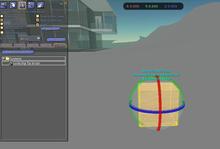
2. To customize your emotes, right click it, choose 'Edit' and open the 'Content' panel, then open the 'Emotes' notecard - this contains 11 lines of text. These are your emotes - you will want to change them and personalize them, to make them exactly how you want - you can have less than 11 lines (11 emotes) in the notecard, but you can not have more than 11. Once you finished modifying, Save the notecard and close it. You can then do the same with the 'Buttons' notecard, this one holds the names for each of the buttons that triggers your emotes. You are now done editing the device.
3.. The Sexy Emoter will recognize your changes once the script is reset - if you left click the pink icon you will bring up the menu - choose the 'RESET' option and the script will reload with your new notecard. You can also reset the script by typing /3 reset
4. Each emote in the notecard (each line of text) corresponds to position 1 through to 11 in the numeric options menu - left click to open the menu, then choose a number to emote what is in that position in the notecard. You can also do this by typing /3 <number> (where your number is 1-11).
5. You can also emote any text you like, just by typing it in chat - all you have to do is type /3 followed by your text, and the Sexy Emoter will emote it for you!
We at MG Designs supply clothing, accessories and tattoos, designed and crafted exclusively by us - no fakes or freebies! Contact us if there is something you need that we don't have on sale.


mmm a little bit me and a little bit you
Well..first off I have to say some of this is my fault..I hads no idea what I was buying..or how to use it...BUT..neither did the description say I NEEDED a HUD..so this is sitting in my inventory..collecting dust