

readme (EN/JA)
[EN]
This is a machine translation. Please note that there may be differences in expression.
//features///
■Avatar Tracking
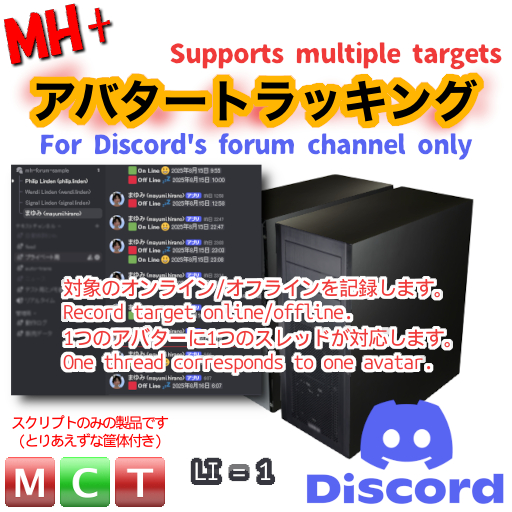
This product records the logon/logout of the specified avatar sequentially.
■Designed for Discord forum channels
This item is designed to be used in conjunction with Discord.
A separate Discord server environment with administrative privileges is required.
The type of server can be either a general server or a community server.
■Advantages of using Discord's forum channel
・Use threads one-on-one with target avatars
・Clearly view threads for each target even if there are multiple targets
・It is easy to understand that threads BUMP when there is an
update = ONLine / OFFLine changes Threads can be individually notified by supporting threads
・Upper limit of logs is unlimited as per Discord
・Upper limit of active threads, but no practical problem (Up to 500)
・Time display is Discord standard UI, so it changes with your language setting and server locale.
■Other features
・Consider general security (access level = Owner / Same Group / Everyone )
・In-world display of current online status
・Edit thread ID for data inconsistency with Discord side
・Selectable operation speed for SIM load adjustment Selectable operation speed for SIM load adjustment
+++++++++++++++++++++++++++++++++++
How to use (text-only explanation for now)
+++++++++++++++++++++++++++++++++++
*It is assumed that you have already created a Discord account and server.
1. Create a forum channel.
2. Set up a Webhook on the created forum channel.
3. REZ this product and edit the "_config" notecard in the Edit Objects menu.
4. rewrite the note card with the Discord Webhook-URL obtained above
(Do not save the file at this time. →If you update it, it will be automatically detected and start loading.
5. Set the avatar name to be checked in the note card:
(You can delete the avatar name written from the beginning)
6. after completing 4.-5. above, overwrite the note card and save it to
(automatic detection of update will start loading the note card).
7. if there are no mistakes in the entry, overwrite the note card.
(If there are no errors, the check operation will start automatically.)
*Please specify avatar name by account name
・Case is not distinguished
・Specification by legacy name is also acceptable (no need to add Resident surname)
++++++++++++++++++++++++++++++
■How to use (more info)
++++++++++++++++++++++++++++++
For more information, including illustrated explanations and updates, see the blog post.
https://sl-memo.blogspot.com/2025/08/mh-onlinetracking-for-discord.html
[extra]
A past work, a script for one-person tracking using Discord's text channel is available for free at
It is Full-Permission, so please use it as a reference for your scripts.
https://sl-memo.blogspot.com/2020/08/avatar-online-tracking-with-discord-webhook.html
===================================================================================
[JA]
//特徴//
■アバタートラッキング
本品は指定したアバターのログオン/ログアウトを逐次記録する物です
■Discord の フォーラム チャンネル 向けの設計
本品は Discord との連動で利用する前提のアイテムです。
別途に管理権限を持つDiscordサーバーの環境が必要です。
サーバーの種別は一般向け/コミュニティーサーバーのどちらでも構いません。
■Discord の フォーラム チャンネルを利用する利点
・ターゲットのアバターと 1 対 1 でスレッドを利用します
・対象が複数であっても対象毎にスッキリと纏めて見られる
・更新があった = ONLine / OFFLine の変化でスレッドが BUMP して分かりやすい
・対象毎にスレッドのサポートをすることで個別の通知が受けられる
・ログの記録数上限は Discord まかせで無限大
・アクティブスレッドの上限数はあるものの実用上問題ない (Up to 500)
・時刻の表示は Discord 標準 UI なので各自の言語設定やサーバーのロケールで変化する
■その他の特徴
・一般的なセキュリティも考慮(アクセスレベル = Owner / Same Group / Everyone )
・in-world で現在 Online の一括表示
・Discord 側とのデータ不整合の場合向けにスレッドIDの編集機能あり
・SIMの負荷調整向けに選択可能な動作速度
+++++++++++++++++++++++++++++++++++
■使い方 (とりあえず文字だけの解説)
+++++++++++++++++++++++++++++++++++
※Discord のアカウントとサーバーの作成が完了している前提です
1. フォーラムチャンネルを作成します
2. 作成したフォーラムチャンネルに Webhook を設定します
3. 本品を REZ して、オブジェクトの編集から、 "_config" のノートカードを編集します
4. 上記で取得した Discord の Webhook-URL にて、ノートカード書き換えます
(この時、保存しないでください。→更新してしまうと自動検知して読み込みが開始してしまうので)
5. ノートカードにチェック対象とするアバター名を設定します
(最初から書かれているアバター名は消去して構いません)
6. 上記 4.-5. が完了したら、ノートカードを上書きで保存します
(更新を自動検知してノートカードの読み込みが始まります。)
7. 記入ミスなどがなければ自動でチェック動作が開始されます
※アバター名の指定はアカウント名で記述してください
・大文字小文字は識別しません
・レガシー名での指定でも構いません(Resident姓の付加は不要です)
++++++++++++++++++++++++++++++
■使い方 (さらに詳しく)
++++++++++++++++++++++++++++++
図解での解説やアップデート情報など詳細はブログの記事を参照してください。
https://sl-memo.blogspot.com/2025/08/mh-onlinetracking-for-discord.html
[おまけ]
過去の作品ですが Discord のテキストチャンネルを利用する一人用のトラッキングのスクリプトを
無償で公開しています。Full-Permission なので、スクリプトの参考にどうぞ。
https://sl-memo.blogspot.com/2020/08/avatar-online-tracking-with-discord-webhook.html
===================================================================================
For inquiries, please send a notecard to Mayumi Hirano.
(c)2025 MH+