



=======================================================
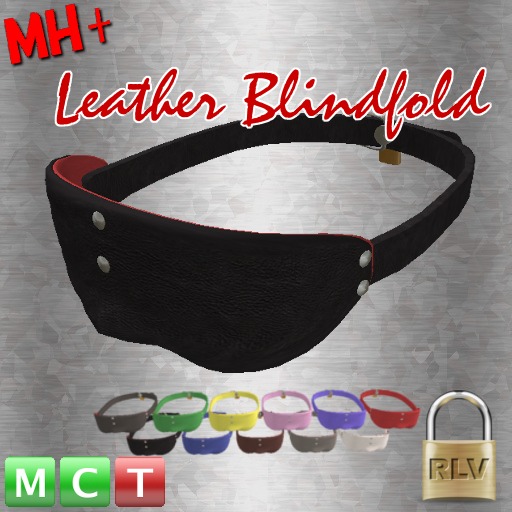
MH+ leather Blindfold readme v1.4
=======================================================
//Features//
** RLV function supported.(lock and more!)
** Lock Timer function.
** not require a separate HUD.
** Selectable body part color.(preset 11 color texture)
** Multi owner register supported.(up to 10 owners)
** One time key lock function.(by approval of the wearer)
** Little script resources. (1 scripts only)
++++++++++++++++
MENU FUNCTIONS
(main menu)
++++++++++++++++
[LOCK] / [UnLOCK] : lock / unlock items.
[BLIND] / [UnBLIND] : blinds / unblinds the wearer.
[RLV] : show RLV restrictions menu.
[TIMER] : show timer menu.
[OWNERS] : show owner-list menu.
[COLOR] : show color change menu.
++++++++++++++++
(RLV menu)
++++++++++++++++
[BKScreen] : toggle black screen function on / off
[Blurriness] : toggle blurriness screen function on / off
[names] : toggle show names function on / off
[hovertext] : toggle show object-hovertext(on worlds) function on / off
[worldmap] : toggle show worldmap function on / off **
[minimap] : toggle show minimap function on / off **
[location] : toggle show location-information on / off
[ownerCTRL] : toggle wearer the operation of owner menu (allow/deny)
[GammaVAL] : input the default gamma value (0.0 = auto detect)
[Cam_LIMIT] : toggle camera draw limit function on / off (this function is required RLV2.9)
[Cam_Min/Max]: input camera draw limit MIN (or MAX) range
[(BACK)] : return to main menu
**) If location is prohibited, they do not work.
++++++++++++++++
(TIMER menu)
++++++++++++++++
[+3min],[+5min],[+10min],[+30min],[+60min] : increase the time of the timer
[-5min],[-10min],[-30min] : decrease the time of the timer
[timerCLR] : clear the time of the timer
[timerStart] : start the timer function
[timerStop] : stop the timer function
[(BACK)] : return to main menu
Increase or decrease in time is possible even when you start the timer.
(However, except for self bond age :p)
++++++++++++++++++
(OWNER-List menu)
++++++++++++++++++
[Add Owner] : (wearer only) added as an owner.
[Remove Owner] : (wearer only) remove from owner-list.
[Remove Me] : (registered owner's only) remove from owner-list.
[(BACK)] : return to main menu.
If you remove the owner registration in the state where it is locked, the lock is released.
(Wearer is must be allowed "ownerCTRL" function)
+++++++++++++++++++++
(COLOR Change menu)
+++++++++++++++++++++
[OUTER],[INNER],[BELT] : select the part you want to change.
[black],[red]....the name of the color : select a color
[(BACK)] : return to main menu.
-----------------------------------------------------------------------------------
For inquiries, please send a notecard to Mayumi Hirano.
(c)2014 MH+
-----------------------------------------------------------------------------------
update:
v1.4 - 20260124
Added support for RLVa's @setsphere command
include "MI Blindfold " based modify model
v1.3b- 20240414
include another Blindfold based modify model
v1.3 - 20200207
**FIX :support very long user names (support over 24 character)
for Owner ADD/Remove functions
v1.2 - 20150921
**ADD : Camera draw LIMIT function (with min - max draw range control)
++ REQUIRED RLV ver2.9 or higher spec!! (using @camdrawXXXX commands)++
**ADD : Can be specified the default gamma of the initial value.
(this is for cool VL viewer users. because this viewer will always initialize the setting of WindLight at logins)
v1.1 - 20141121
**FIX : Correspondence to the environment where the initial values of a gamma value differ
///////////////////////////////////////////////////////////////////////
[ NOTE ]
In 2016 of October, in the viewer using the RLVa2.0 it does not work function of CamLimit.
(Such as FireStorm4.7.9)
This is because the RLVa2.0 does not support the vision spheres
- RLV
- only 1 scripts