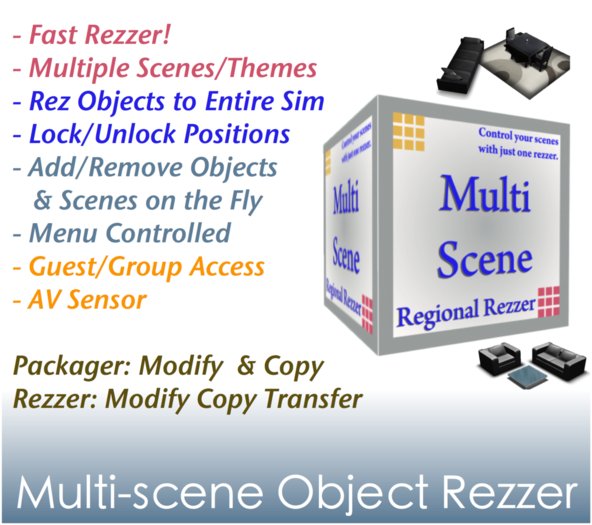

New version v3.6.0 with improved notecard functionality
Mod & Copy (Packager mode)
Mod Copy & Transfer (Rezzer mode)
Create your own virtual reality system or add multi-scene capability to your products. Each scene may consist of a group of objects like furniture, decors, landscape items defined by you. This is NOT the temp rezzer!
************************************************************************
Examples include multiple meals/utensils on the dinning table, demo deck in your store, scenes or backdrops for your photo shooting or role playing needs.
Make rezzed objects for sale: Ideal for shop/furniture store owners. Or sell your products with the rezzer.
You must have both MODIFY and COPY permissions for the objects!
************************************************************************
- EASY SET UP! JUST DROP, TAKE, STORE, AND REZ! NOTECARD to define scene set.
- SELL YOUR PRODUCTS DIRECTLY FROM THE REZZER OR SELL THEM WITH THE REZZER.
- MENU GUIDED. Support multiple rezzers through menu.
- Able to relocate individual rezzed object and the rezzer will remember their latest position even after derez or reset.
- One click to rez/derez scene/theme.
- Guest & group access, great for landlords, demo and store owners.
- Able to lock objects at the location you like and move the rezzer box to somewhere in the same region.
- When unlocked, objects move/rotate with the rezzer.
- Sensor On/Off: Objects remain visible 24/7 or no show when no one is around!! Variable scan distance (5 ~ 96m).
- Add/remove objects on the fly without interrupting the already rezzed objects.
- Able to save the modified objects via SL viewer's "Save Object Back to Object's Contents."
- Now comes with remote control and object script for doors and windows.
- EZ .Scene notecard editing. Supports copy & paste, comments, and scene menu feature.
- Supports multiplex rezzing and one rezzing state.
-----------------------------------------------
To store objects into the rezzer:
-----------------------------------------------
1. Place the rezzer in-world. Both rezzer and the objects that you like to store must be in the same SIM.
2. Drop the script "Multi-Scene Object Pin v3.4" (object pin) into the object's inventory. If the Pin detects more than one rezzer, you will be asked to make your selection.
3. Take the object to the inventory.
4. Drop the object into Rezzer's content.
5. Add item's name to notecard ".Scene".
6. Click the rezzer and have fun!
-------------------------------
To rez/derez a scene:
-------------------------------
1. Touch the rezzer and select the scene you like to rez.
2. After rezzing, you can reposition individual rezzed object.
3. Click different scene on the menu to switch.
3. To derez, click the "*Remove" button from the menu.
--------------------------------------------------------------------
To make changes to the already rezzed items:
--------------------------------------------------------------------
1. As long as the multi-scene pin script remains in the root prim, you may add/remove link set, resize, reshape, change texture and many other properties.
2. While the object is selected, select "Save Object Back to Object Contents" from the "Tools" dropdown menu.
-----------------------------------
To sell or transfer rezzer:
-----------------------------------
1. Click the <For Sale> button on the options menu.
2. Manually change rezzer permission for next owner to "COPY and MODIFY". The MODIFY permission will allow next owner to save modified object back to rezzer's content and store position information in the object description of the rezzer.
--------------------------
Owner's features:
--------------------------
1. Lock/Unlock: lock or unlock items at their regional location.
2. Guest: Toggle guest or group access. The default is off.
3. Sensor Off: Objects remain visible 24/7.
4. Sensor On: Objects only appear when avatar is detected.
5. Reset.
6. Hide/Unhide: Hide/unhide the rezzer. When hidden, Pin Sync is turned off by default.
7. Pin Sync: Turn Pin Sync on/off. When off, rezzer will not talk to Object Script when the script is inserted into objects.
8. Inv Sync: Turn Inventory Sync on/off.
9. Pos Sync: When on, rezzer will remember position of the objects after you manually reposition them.
10. OBJ List: List the content of rezzer to local chat
--------------------------------------------
Items included in the package:
--------------------------------------------
1. Remote Control: control your rezzer remotely in the SIM. (Pairing is required)
2. Remote Sensor
-------------------
Permissions:
-------------------
The rezzer by default is running in the Packager mode. Clicking "<For Sale>" button will activate the Rezzer mode, allowing you to enjoy the Mod/Copy/Transfer permissions.
- Transferable! Add multiscene capability to your products
- Define your scenes on notecards. One click to switch between scenes
- Lock/unlock rezzed objects. Individual object can be repositioned.
- Built-in avatar sensor
- Support Save Back to "Rezzer's Content". Modify on the fly!


The Best Tool for Decor Addicts
I use this for my decor so I can change to anything I wish. It is so easy to set up and use. It is not at all laggy and does not count as temp rezz objects because it does not rezz over and over. I recommend this!
10 / 10
This item is intuitive, very easy to setup and use, and really - reallllllly useful. I'm less than a day in with it, and I love it - and see all kinds of different ways I can put it to use. Machess gives great customer service, and takes time to explain - that just takes it all to the next level. You can't really lose, if you don't for whatever reason understand it, he makes time to help with his products. Highly recommend!
The best
I'm very happy to use this product for packing my scenes etc. Easy and fast to use.
Thank you
unexpectedly even more wonderful rezzer buhahaha :D
i have seen many rezzers while getting stuff. friends would also use rezzers. kinda different ones. worrying about certain features or whatsoever.
that just made me like this epic rezzer by Machess even more.
It's great and easy. So i have been able to set up several rezzers. Starting was a bit clumsy. Yet everything is very well described reading instructions. Rezzer will complain if things go wrong (rezzing below ground. sim boundaries and so on.
What i like about this rezzer is the mix of just being a rezzer and a multi-scene one. I cannot afford a full-sim x.x, so i got to watch land impact. Anything becomes change-able. settings. ambience.
a wonderful product. no weird text-floating going on. nyahahaha.
In terms of price this rezzer is okies. Anything can be done on the fly. and if you want to sell a build. just go from packager to rezzer. So keep in mind. You wont be able to just sell a single build. You will be able to sell a build consisting of different scenes. Or just different scenes. So many options to make use of O.O. I am a builder and creator. Imma very fond of this rezzer, packager, wonderful product :3.
Thank You :D
Great Product!
This works extremely well and the procedures for use are logical and as expected. I use it mostly for the "sensor" feature, i.e. rezzing items when people come near.
I'm giving it 5 stars, but two things that I think would make it better: (1) enable use of more than 9 separate boxes on a sim, and (2) ability to specify more ranges, i.e. use more values than the ones offered via the menu choices.


