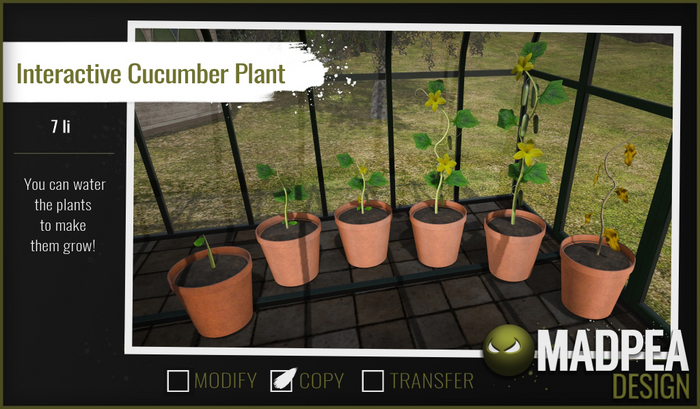
Grow your very own cucumbers with this Interactive Cucumber Plant!
To use your interactive plant, rez it out and click it for the pop-up menu. Choose 'sow' (you need to plant your seeds before you can grow your plant, after all!) and then click again for the next menu of options. From here you can water your plant, start over, or even delete the script. You can have as many plants out as you like, just remember you will need to do the same actions for each one you rez out.
Each time you click on your interactive plants, you will get a pop-up menu you telling you how long it has been since you last watered them. You will also be notified when you need to water your plant, so don't worry about forgetting. Just make sure to water your plant within 24 hours of getting that message! Please note, if you get a notification that your plant needs to be watered, and you have JUST watered it, you will still need to water it again, and can do so right away. If you do not water your plant every day, it will wither and eventually die.
If you choose to 'Start Over' from the menu, you will be prompted to confirm before it resets that plant to its starting form. The same goes for 'Delete Script'. You will be asked if you are certain that you want to freeze your plant where its current growth stage is, first.
NOTE: This item works for the owner only!
Land Impact: 7
Copy | No Modify | No Transfer
▀▀▀▀▀▀▀▀▀▀▀▀▀▀▀▀▀▀▀▀▀▀▀▀▀▀▀▀▀▀▀▀
✄ Original mesh created by the MadPea team.
✄ All MadPea products are sold as-is. No change or alteration requests will be accepted at any time. MadPea does not currently take custom orders.
MadPea (c) 2019
See item in Second Life- Interactive cucumber plants!
- Sow your seeds, water them, and watch your cucumber grow
- Plants will send your reminders to water them
- Start the growing process over again at any time!