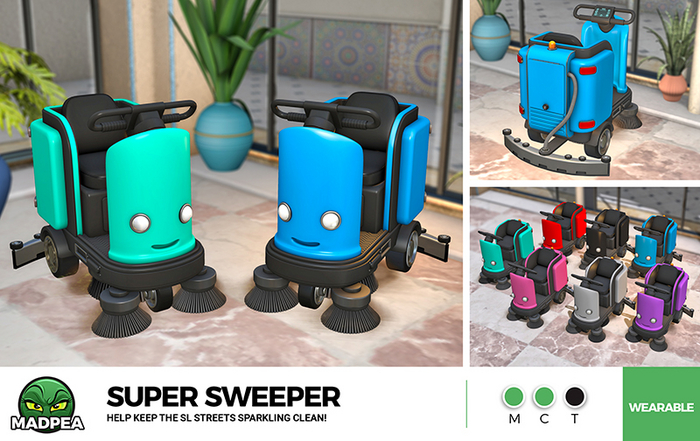

Help keep the streets of Second Life as clean as can be with MadPea's Super Sweeper!
To use this vehicle, add/wear the item from your inventory, turn off or remove your AO, and adjust your hover height so that you are not sunk too far into or floating too far above the ground.
From there, just move around as you normally would!
Clicking on your sweeper will bring up a menu allowing you to turn the lights, sounds, and blinking light on or off (default for all three is 'ON'), as well as change the size and color of the machine.
Colors included are Black, Blue, Pink, Purple, Red, Teal, and White.
This item can be manually adjusted to better fit to your avatar AFTER resizing in the menu, by right clicking on the worn item, choosing 'edit', and using the arrows from the edit window accordingly.
** REMEMBER to ALWAYS make a copy of wearable items BEFORE you modify them in any way! This will save you needing to unpack a fresh copy or retrieve a redelivery.
Wearable
Copy | Modify | No Transfer
▀▀▀▀▀▀▀▀▀▀▀▀▀▀▀▀▀▀▀▀▀▀▀▀▀▀▀▀▀▀▀▀
✄ Original mesh created by the MadPea team.
✄ All MadPea products are sold as-is. No change or alteration requests will be accepted at any time. MadPea does not currently take custom orders.
MadPea (c) 2023
Ver el artículo en Second Life- Wearble personal vehicle with moving parts!
- Lights and sounds can be turned on and off.
- Moving brushes with particle dust.
- Seven color options.
- Original mesh.


