![MarvelCreation Corp. - ResidentialHouse [Pack]](https://slm-assets.secondlife.com/assets/11291909/lightbox/MarvelCreation_Corp._Residential_Building.jpg?1426940343)

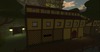
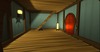
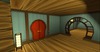
MarvelCreation Corp. Residential Building is a well designed 19.44x8.71x10.35m cartoon house featuring 2 rooms each divided in 2 sections, high-quality sound & particle effects, and its own house management system perfectly designed in a user friendly manner for both rental providers and renters, house doorbells, separate light switches for every room, full dynamic shadow support for all lights. The house management system allows the owner to set the building managers/owners and manage its access list, the system also allows house managers and owners to customize the interior wallpapers, only 50 prims for the whole building.
::MANAGERS::
Managers have full direct access over the buildings controls, allowing them to access the building, assign the building owner, and customize the buildings appearance. To assign/revoke managers edit the notecard in the building itself called "Managers", be sure to obey the notecards syntax, all managers have to be written in a single line and separated by a star "*", make sure that you include their full username (case sensitive) including their last name, if none it should be "Resident". By default the notecard will have 3 MarvelCreation Corp. employees assigned as managers by default as an example.
::HOUSE OWNER::
The house owner is privileged to manage the house locks, access menu, and customize the buildings interior appearance, a manager can assign a new house owner via the options menu.
To assign a new house owner the manager has to do the following:
1. Click the paint bucked inside of the building leaving the door system inactive and the customization system active;
2. Click the building itself and click new owner in the dialog menu;
3. Have the future owner to click one of the buildings wallpapers, this will assign him/her as the new house owner.
To null the house owner simply set the buildings description to "none", to manually assign a new house owner you can also write down their full username in the buildings description (case sensitive), be sure to include their last name, use "Resident" if none.
::CUSTOMIZATION::
House owners and managers are privileged to customize the buildings appearance.
To customize the buildings appearance the house owner/manager has to do the following:
1. Click the paint bucked inside of the building leaving the door system inactive and the customization system active;
2. Click on the wallpaper within the building that you wish to customize;
3. Use the dialog menu to pick the desired wallpaper.
You can assign your custom wallpapers via UUID and or add them to the buildings inventory, you can also revert the buildings wallpapers to its default state.
::ACCESS LIST::
House owners are privileged to customize the buildings access list, people within the access list can freely open the buildings main doors even when locked. To add someone to the access list do the following:
1. As a owner click the buildings main door;
2. Make sure that the person you wish to add to the access list is standing within a 96m radios and click add in the dialog menu.
3. Pick the desired person from the dialog.
Please keep in mind that by default the doors are unlocked, to lock/unlock the doors use the proper option in the doors dialog menu.
____________________
UPDATES & SUPPORT
For: support, updates, and suggestions contact us via our support forums (No Registration Required). We will respond to your support case as soon as possible,
you can open a New Topic in the support section of our support forums here:
http://marvelcreation.com/forum/viewforum.php?f=7
MarvelCreation Corp.
www.marvelcreation.com
Dont forget to join our support group for: help, support and updates.
secondlife:///app/group/f3a6ff30-cac8-293d-4fe8-58a670a02efb/about
_____________________________________________________________________________
MarvelCreation Corp. - Residential Building
-------------------------------------------------
Presented by MarvelCreation Corp.

![MarvelMagic Spell Scroll Light [ FREE ]](https://slm-assets.secondlife.com/assets/6420438/view_small/MarvelMagic_Poster_Light01.jpg?1350082853)

![Hoof-It - Big Sofa [Pack]](https://slm-assets.secondlife.com/assets/8262580/view_small/MarvelCreation_Poster_-_Big_Sofa.jpg?1376876686)
![MarvelCreation Corp. Victorian 3store Building [Pack]](https://slm-assets.secondlife.com/assets/8504467/view_small/MarvelCreation_Poster_-_Victorian_3store_Building.jpg?1380685996)
![MarvelCreation Corp. Design - MarvelousShirt [Pack]](https://slm-assets.secondlife.com/assets/10737198/view_small/MarvelCreation_Corp._MarvelousShirt_PosterMain.jpg?1418050456)
![MarvelCreation Corp. - Crossbow [pack]](https://slm-assets.secondlife.com/assets/11197681/view_small/MarvelCreation_Corp_Crossbow.jpg?1425541860)