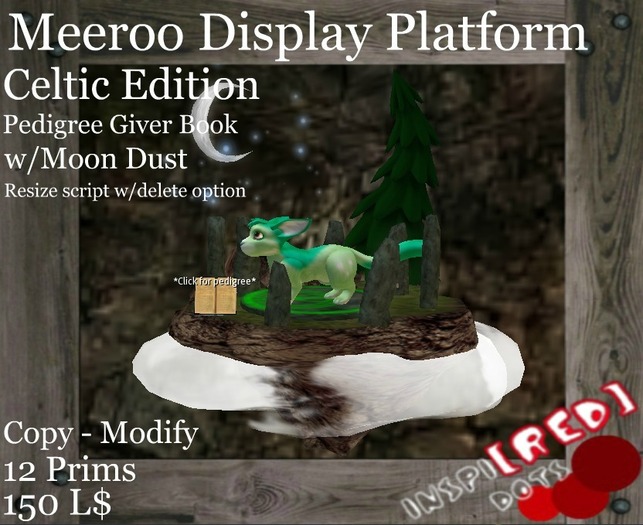


Celtic Edition Meeroo Display
Sculpted Floating Island with pedigree giver
A must have for your markets or bid boards
Attractive design with high level of details
The best way to display your rare Meeroo
Note giver script included in the book
With Resize Script (w/delete option to avoid lag) and modify by hand for easy fit on your meeroo size
(Meeroo NOT Include)
Copy - Modify
12 Prims
Visit my store inworld for demo
http://slurl.com/secondlife/Shine/238/173/22
-------------------------------------------------------------------------------------------------------------------------
If you have a suggestion send a message or NC
And don’t forget to rate it !:)
Best wishes
Brett Loup
--------------------------------------------------------------------------------------------------------------------------------------------------------------
.:Inspi[RED] Dots:.™ is not affiliated officially with Malevay Studios™
The Wonderful World Of Meeroos™ and Meeroos™ is a trade mark of Malevay Studios
--------------------------------------------------------------------------------------------------------------------------------------------------------------
P.S.
A little tip for your sculpt prims witn not cause lag ! <3
- Optimize your Level-Of-Detail
LOD settings is something that will force all your sculpties to keep their correct shape.
1. Enable the Advanced Menu (CTRL+ALT+D on PC or Opt-Ctrl-D on a Mac) – You will see a new menu option called Advanced next to Help.
2. Click on Advanced and choose Debug Settings (near the bottom)
3. Scroll way, way down in the list until you find , rendervolumeLODFactor
(you can type or paste that into the text box in the Debug Settings window to find it more quickly).
4. Set it to 4.0 or above
5. Close the Debug Settings window.


