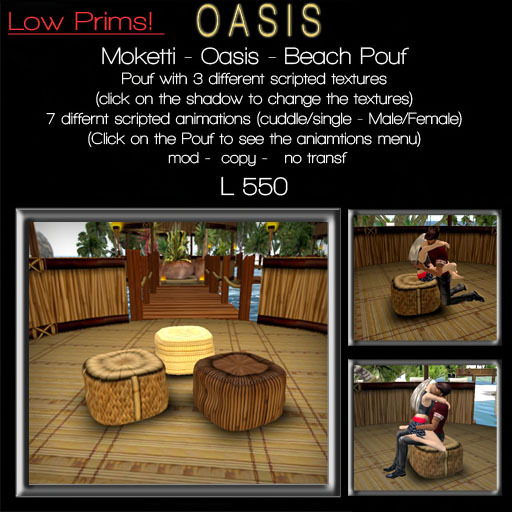

MOKETTI - OASIS - Beach Pouf
FEATURES
- 1 Beach Pouf with 7 animations inside(5 single Male/Female & 2 couple) & 3 different textures
(click on the chair for the animations menu)
(click on the shadow chair for the texture menu)
MENU HUD
OPERATION:
- Left click the Pouf to switch it on
- When everything has loaded left click again for the menu
- Select a pose from the submenus. Poseballs will appear.
- Sit on your poseball (Right-click + sit)
- Accept the popup asking permission to animate your avatar. (Might be behind the menu, click ">>>" to see it.)
- To remove the balls, select 'STOP'.
TO ADJUST POSITIONS:
You can adjust the poses to fit your own avatar and those you share the tub with.
- Select a pose you want to adjust and sit on the balls.
- Go back to the main menu, select "Options - Adjust Pos". This changes the balls into transparent beams.
- Right-click a beam, select Edit and adjust the position (Shift-click to select both beams).
- Position the balls anywhere within 10m from the tub.
- "Save Pos" stores the position into memory.
- Important! Back it up; see below.
TO MAKE A BACKUP:
Saved positions are stored in memory but are not permanent. They are lost on script error (See "Script run-time error / Stack-Heap Collision" below). They are also lost on shutdown/startup, or "Pos Reset". To back the positions up more permanently you have to copy them into the .POSITIONS notecard:
- Select "Mem Dump"
- Copy the complete dump (from Chat-History)
- Paste it into the .POSITIONS notecard (just replace everything, you don't need to edit/format anything).
- Delete any other *.POSITIONS* files.
Note: After changing any *.POSITIONS* files, use the "Pos Reset" command to verify your changes, if desired. This also helps to avoid losing changes due to Stack-Heap collisions.
TO ADJUST HEIGHT OFFSET (Z):
Select "Height Adj" and click the "Z"-buttons, this will adjust the height for all poses.
Note: the offset height is stored in the Object Description, so any descriptions will be replaced.
ACCESS TO THE MAIN MENU:
The owner is the only one who can start/restart/shutdown, in all cases.
- if "Options - MenuUser" is set to OWNER: the owner is the only one who can access the menus
- if "Options - MenuUser" is set to ALL: anyone can access the MAIN MENU
- if "Options - MenuUser" is set to GROUP: members of the same group as the tub can access the MAIN MENU
POSEBALL ACCESS:
- if "Options - BallUsers" is set to ALL: anyone can sit on the ball
- if "Options - BallUsers" is set to GROUP: only group members can sit on a poseball. The balls will check if the person who tries to sit on the ball belongs to the same Group as the tub.
Enjoy!
Moketti
- - 1 Beach Pouf with 7 animations inside(5 single Male/Female & 2 couple)
- - 3 different textures
