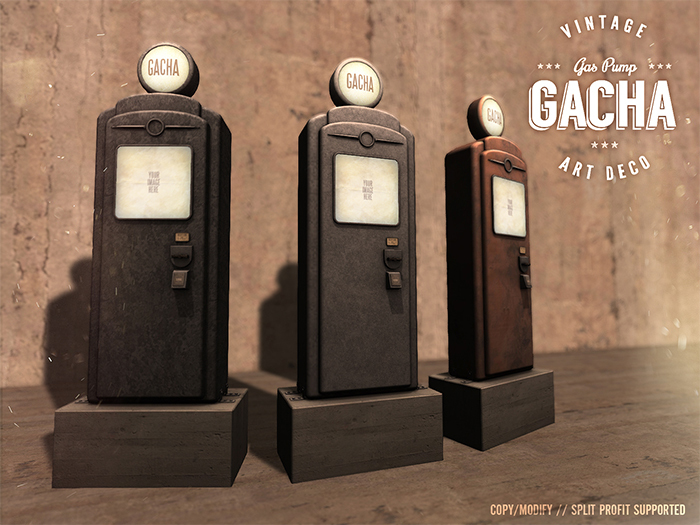
Gacha machine with split profit support.
3 versions as depicted included.
SETUP:
1. Rez your vendor and type in your price and rare probability in the vendor description field. At default it is set to "100,8" which means it cost 100 linden to play and there's 8% chance for rare. You may also rename your vendor.
2. Simply load your objects into the vendor inventory. If you have rares, the item name must end with "RARE", for example "A very nice shirt RARE" (without quotes).
3. Drag and drop your vendor picture where it says "Your Image Here".
Touch your vendor for information about its settings and inventory. It is ready to go!
IMPORTANT: Always touch your vendor after updating to a new price or rare chance!
_______________
SPLIT PROFIT:
NOMAD Gacha vendors also have a split profit function. To be able to use this, you need to grant debit permissions in order to pay out money to the people you want to split profit with.
Go into the vendor inventory and open "CONFIG" notecard and follow the instructions.
The format is following:
"Identifier,Avatar UUID, Percentage" (without quotes!)
The identifier can be anything, the name of the person or a note to yourself. It is mostly there as an aid to remember who you split with as avatar UUIDs are harder to remember.
The avatar UUID or key is what the vendor use to identify the avatar you want to split profit with. If you use firestorm, you will see the UUID in this person's profile. If your client doesn't have this function, you can use this script to find it: http://wiki.secondlife.com/wiki/Find_Avatar_Key
The percentage is simply how many percent you wish to split with this person. If this is an odd number, the spare linden always go to the vendor owner.
You may add multiple people. Simply add a new line in your notecard for each person.
If your split profit exceed 100%, the vendor will let you know and not go online until you set it up correctly.
Once you have saved the CONFIG notecard, Touch your vendor and it will tell you who you split with and how much each person get.
Ver el artículo en Second Life