

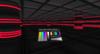
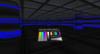
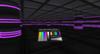
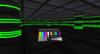
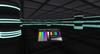
Thanks for your interest in my my neon lights kit.
**Please note that you will need at least a basic understanding of how to build, copy and use 'edit' mode in Second Life to use this kit. However, I will try and guide you through some of the basic edit functions to help you get started.
THE NEON LIGHTS KIT
1) This kit uses 'link set' technology to use the minimum amount of scripts needed to set the colors and glow via a remote.
So you can link lots of prims together using this kit and only need 2 scripts per 25 prims to change all of them in one go. Giving you some great options to change the color and mood of your club or home very quickly. The example set up you see in the pictures only uses 4 scripts which means it is extremly low lag.
2) The neons come in a variety of different sizes and shapes so you can play around with them to see which suits your club or home best. I've include a straight single bar neon plus outer and inner corner neons and a neon ring. But ou can also use your own shaped prims if you wish, you just need to make sure the prim is named 'B' - THIS IS VERY IMPORTANT - or the prim won't change color.
3) You can set the neons to whatever color you want using the remote control or onscreen Hud. You can also adjust the Glow settings and everything in the kit is copy & modify(not scripts).
SET UP
Rez the 'Neon Lights Kit'.
You'll see all the different option shapes linked together for you.
**You will also see a box on the floor called the 'NEON LIGHTS ROOT PRIM', this contains the scripts**
Basicslly you need to make sure that this is always the last prim in the prim link chain and all neon prims must be linked to this prim so that it is always the 'root prim'.
Feel free to unlink the neon lights kit and use which ever prims you need to build your neon display.
To unlink objects, right click on them and go into 'edit' mode - then choose 'Build' from the top of your screen the 'Unlink".
(Viewer 1 = Tools - Unlink)
NEON LIGHTS ROOT PRIM BOX
**This box is very important as it contains the scripts. **
You need to link all your neon lights to it . You can link up to 25 neon prims per Root Prim Box.
To link to it, go into edit mode and hold down your Shift key and then select each prim you want to link together using your mouse. Its very important that the last prim you select is the ROOT PRIM BOX so that it becomes the 'root prim 'of all the prims you link together.
(To link objects together use 'Build' at top of screen and then 'Link) (Viewer 1 = Tools - Link)
**Once linked together you need to reset the scripts to pick up the new links**
To do this select the linked prims then go to 'Build' at top of screen then choose 'Scripts' then 'Reset Scripts'
(Viewer 1 = Tools - Reset Scripts In Selection)
Once set up you can hide the ROOT PRIM BOX under something or behind a wall.
REMOTE CONTROLS
There are 2 remotes in the kit.
One that you can rez inworld and another that you can attach to your onscreen Hud
(Just choose 'wear' whilst in inventory to attach)
You'll see a 'Color Picker' on the left - you can pick any color you want from here for your neons.
Next to that is a thin grayscale strip which adjusts the light/ darkness of the color.
Over on the right you have some editable 'Pre-Set Colors' and 'Glow' settings.
You can edit the preset colors by going into 'Edit' and making sure the 'Edit linked parts' box is checked.
Then click on the colored prim you want to change and change its color to whatever you want.
The script will automatically pick up the new color you have changed it to, so the next time you use it the neons will change to that color.
OTHER OPTIONS & TROUBLESHOOTING!
You can use your own shaped prims if you wish, you just need to *MAKE SURE ALL THE PRIMS ARE NAMED B for it to work and if do have any trouble with the lights or remote, resetting the scripts (as described above) should sort out most problems and remember if you do mess anything up, everything is copyable so you can just rez new ones.
If you still have any problems that you can't solve or are not sure about something just IM me (Supershine Zapedzki) and I'll try and find a solution for you.
Ver el artículo en Second Life- Neon Club Lights Lighting
- Neon Lights Club Lighting


AWESOME!!!!!!!!
THESE ARE SO AMAZING!!!!!!!! great addition to the GCD lighting system! You will love these!


